
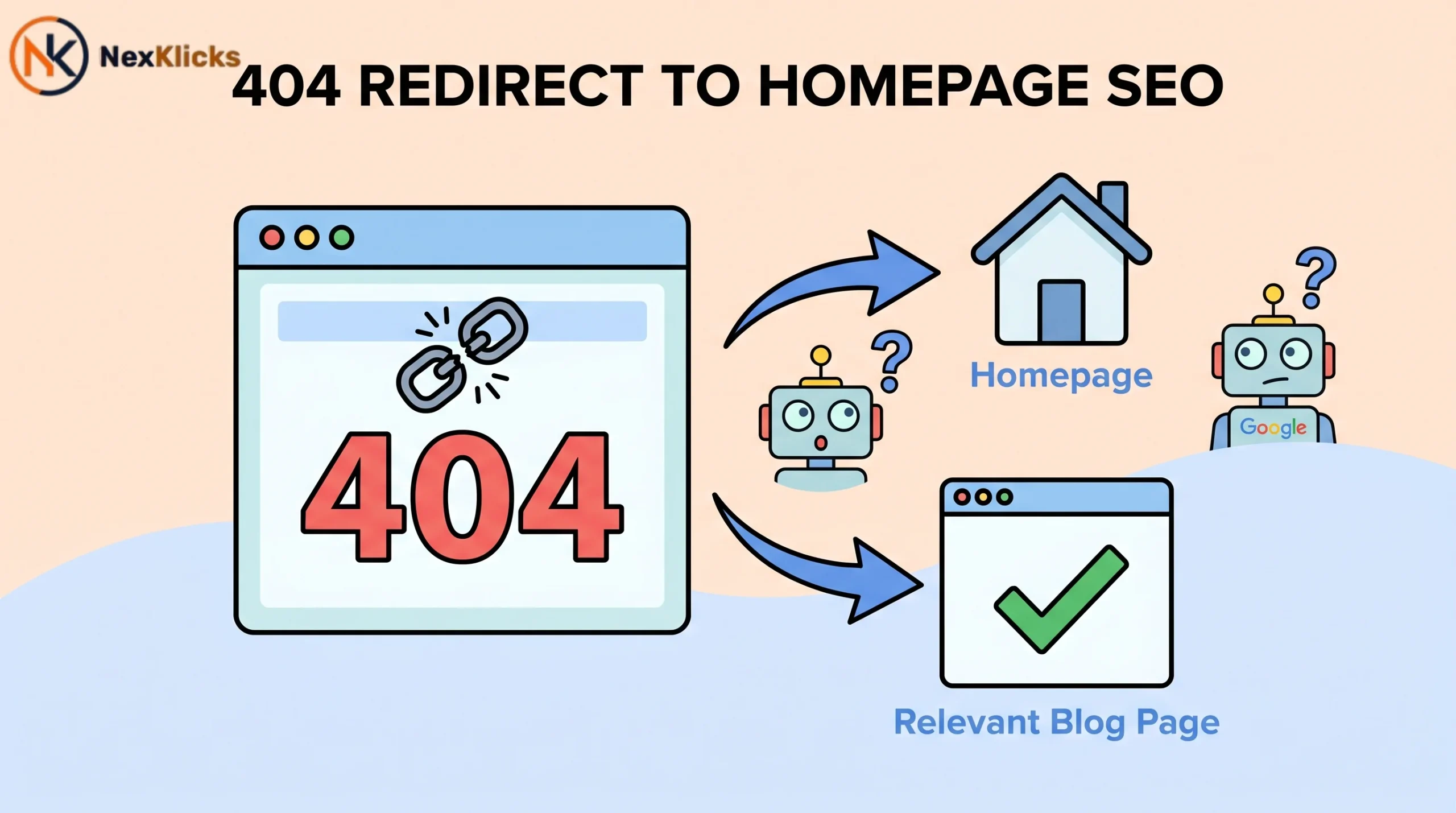
You found a pile of 404 errors in Google Search Console. Your first instinct? Redirect them all to the homepage and move on. Stop right there; that “quick fix” might be quietly torching your SEO.
Here’s the truth most guides skip: 404 redirect to homepage SEO isn’t a safe workaround; it’s a trap. Mass homepage redirects create soft 404s at scale, bleed your link equity, and waste precious crawl budget on pages that deliver nothing useful.
This guide breaks down exactly what happens, why Google hates this practice, and what you should do instead.
Quick Answer: Should You Redirect 404s to the Homepage?
No. And Google has said so explicitly. In a 2025 LinkedIn statement, John Mueller clarified that 404 errors are not ranking signals by themselves. The real issue is what you do next. Creating a broken link redirect that dumps every dead URL onto your homepage doesn’t preserve value. It destroys it by creating a content mismatch that Google can detect at scale.
Here’s the nuance most posts skip. A 404 on a page with zero backlinks and no traffic history is harmless. Leave it alone. But a 404 on a page with 40 referring domains is bleeding link equity preservation capacity every single day it goes unfixed. Think of it like closing your best-performing store and putting up a sign that says “visit our headquarters.” Customers show up confused, and so does Google.
404 redirect to homepage SEO refers to the practice of sending all broken or deleted URLs on a site to the homepage via a 301 redirect. This is treated by Google as a content mismatch and, at scale, functions identically to a soft 404, passing no meaningful equity and wasting crawl budget.
What Actually Happens When You Use 404 Redirect to Homepage SEO
Google doesn’t just follow your redirect and move on. It compares what the linking page expected to find against what your homepage actually delivers. When hundreds of unrelated 404 redirect to homepage SEO signals all point to one generic page, Google detects the pattern fast. The mechanism is content mismatch analysis, and it’s been part of Google’s crawl logic for years. URL redirect best practices exist precisely because this scenario is so damaging.
What follows isn’t instant. It’s a slow waterfall, and that’s what makes it dangerous. Most site owners don’t connect the traffic drop to the redirect decision they made two months earlier.
| What Gets Lost | When It Happens |
|---|---|
| Direct and bookmarked traffic | Within days |
| Search rankings | Weeks (faster on large sites) |
| Redirect juice and backlink equity | Gradually, over months |
| Long-tail referral traffic | Up to 6 months later |
Use Screaming Frog to crawl your redirect chains and visualize this damage in real time before it compounds further.
Soft 404s: The Actual SEO Problem You’re Creating
A soft 404 detection problem is what you’re actually creating when you mass-redirect to the homepage. Here’s what that means in plain language. Your server returns a “200 OK” status, which tells Google the page exists and has content. But the content Google finds is your homepage, which has nothing to do with the original URL. Google flags this in Search Console under Pages, then Soft 404, and it isn’t a warning you want to collect.
The three-way damage is real. You waste crawl budget waste capacity because Google keeps returning to pages it thinks are live. You clutter the index with pages that shouldn’t be there. And you stack up GSC flags that signal poor site health to the algorithm. There’s a clean way to remember the difference: “A hard 404 tells Google ‘nothing here.’ A soft 404 lies to Google. And Google hates being lied to.”
Hard 404 vs. Soft 404: What’s the Difference?
| Type | HTTP Status | Google Behavior | SEO Impact |
|---|---|---|---|
| Hard 404 | 404 or 410 | Stops crawling | Neutral and correct |
| Soft 404 | 200 OK | Keeps crawling | Negative, wastes budget |
| Homepage Redirect | 301 (mismatch) | Treated like soft 404 | Negative at scale |
A hard 404 returns the correct HTTP response code and signals to Google that nothing exists here. Crawl frequency drops. That’s the correct behavior. A soft 404 returns 200 OK on a useless page and keeps Google coming back, burning crawl budget on nothing. The 410 gone status works the same as a 404 in Google’s eyes, but signals permanence more clearly for pages you’ve intentionally deleted.
Redirecting 404 pages to your homepage at scale creates what Google classifies as soft 404s. According to Google’s own documentation, when a redirect destination doesn’t match the expected content of the original URL, the redirect loses its equity value. The result is wasted crawl budget, index clutter, and no link equity transfer.
When to Redirect a 404 (and When to Leave It Alone)
Not every 404 needs fixing. This is the decision framework competitors consistently skip, and it’s where most site owners waste hours on low-value work. If a page never had backlinks, never ranked, and never drove traffic, leaving it as a 404 is the correct call. That’s a clean signal to Google. No noise, no wasted crawl budget.
301 redirect SEO value only flows when there’s equity to preserve in the first place, and confusing this with a blanket fix is one of the most common SEO mistakes small business owners make.
Typo URLs and paths that never existed should always stay as 404s. No action needed. Use a simple rule: “If it had value before it broke, redirect it. If it never had value, don’t bother.”
| Situation | Action | Reason |
|---|---|---|
| Page moved to new URL | 301 redirect to new URL | Preserves equity and UX |
| Deleted page with backlinks | 301 redirect to most relevant page | Captures recoverable equity |
| Deleted page, no backlinks | Leave as 404 | Correct signal, nothing to preserve |
| Never-existed or typo URL | Leave as 404 | No real page, no action needed |
| Redirecting to homepage | Never do this at scale | Google ignores, treats as soft 404 |
| Entire domain decommissioned | Bulk 301 redirects, path-matched | Stops the equity waterfall |
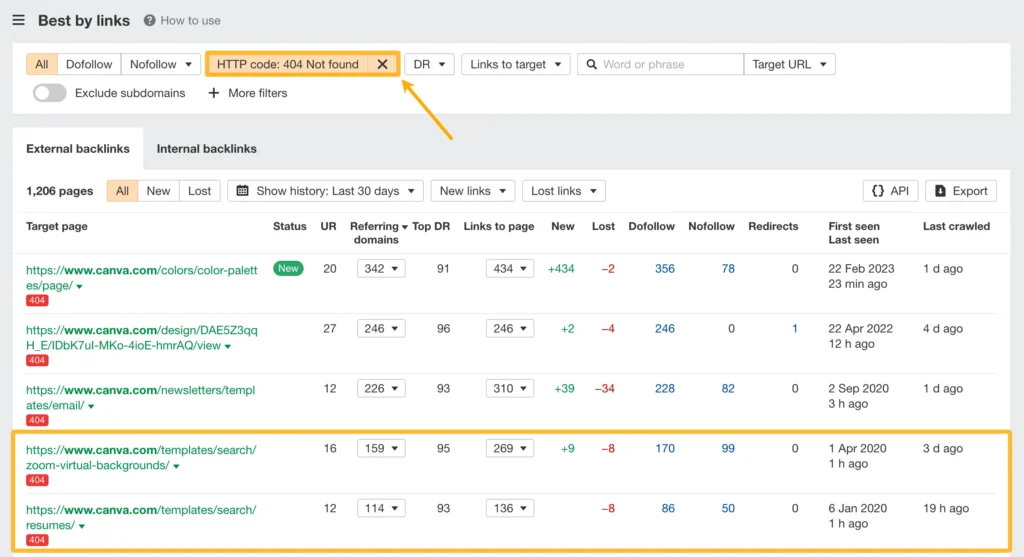
According to Ahrefs’ 2024 site audit study, over 66% of pages with backlinks that return a 404 status have never been redirected. That means the majority of sites are silently bleeding link equity preservation value from fixable broken URLs every single day.
How to Prioritize Which 404 Errors to Fix First (GSC + Backlink Method)
Most sites have dozens, sometimes hundreds, of 404 errors. You can’t fix them all at once, and you shouldn’t try to. Start where the recoverable money is. That means Google Search Console not found URLs that still have active backlinks and GSC impressions. Export your full 404 list from Search Console under Pages, then Not Found (404). That’s your raw material.
Cross-reference that list with Ahrefs backlink data. Sort by referring domains broken count, highest first. Fix the top 20 URLs with the most backlinks first. These carry the most recoverable backlink recovery potential. After that, run through your GSC impressions column. Any 404 still generating impressions in search represents active traffic loss happening right now.
Step-by-Step: How to Build Your 404 Fix Priority List
To prioritize 404 fixes for maximum SEO recovery, follow these steps:
- Export your full 404 list from GSC under Pages, then Not Found.
- Cross-reference with Ahrefs, then sort by referring domains, highest first.
- Map each high-value URL to its most relevant live page.
- Implement contextual 301 redirects, not homepage redirects.
- Monitor GSC for soft 404 flags post-implementation.
Priority Checklist:
- Export 404 URLs from Google Search Console
- Pull referring domain data from Ahrefs
- Sort by referring domains, highest first
- Check GSC impressions for remaining 404s
- Map each high-value URL to its most relevant live page
- Implement 301 redirects, contextual, not homepage
- Monitor GSC for soft 404 flags after implementation
For professional-grade 404 redirect to homepage SEO auditing at scale, our complete SEO services can handle the full crawl-to-redirect mapping process so nothing gets missed.
How to Handle 404s Properly: Contextual Redirects vs. Homepage Redirects
A contextual redirect means sending a broken URL to the most relevant live page on your site. Not a catch-all. Not the homepage. If /blog/seo-tips-2022 is broken, it should redirect to /blog/seo-tips-2025 Or your blog index, not your homepage. This is what URL canonicalization principles support and what Google actually rewards. Internal link audit checks should verify that these redirects stay clean and don’t create redirect chain problems over time.
If you’re running a Shopify store, pairing your redirect audit with a full ecommerce on-page SEO review will surface additional issues your audit tool might miss.
For large sites, group URLs by section and apply path-based rules. All /blog/ URLs go to the blog index. All /product/ URLs go to the products page. Bulk rules beat one-by-one fixes every time. Screaming Frog makes mapping these patterns fast, and it integrates with your GSC data to surface orphan pages SEO issues at the same time.
What Google Actually Wants You to Do With 404s
Google’s guidance is clear on this. Return the correct status code for missing content. Pages that don’t exist should return 404 or 410. Never 200. For valuable lost pages, redirect contextually to the most relevant live equivalent. For dead-end URLs with no history, let them stay as clean 404s. The Google index removal process handles the rest naturally over time once the correct signal is in place.
URL redirect best practices according to Google require that redirects lead to content that matches user intent from the original URL. A redirect from /running-shoes-nike to a homepage about general apparel fails this test. Google’s content analysis detects the mismatch and treats the redirect as providing no meaningful equity transfer.
Fixing 404 Errors at Scale Without Hurting Your Rankings
Bulk redirect strategy SEO situations hit hardest during domain migrations, rebrandings, or CMS platform switches. The equity waterfall has already started the moment those URLs go dark. Every week without a fix is permanently lost ground. Build a URL inventory first by crawling with Screaming Frog or pulling from your sitemap backup before making any moves.
WordPress users can also check their .htaccess file directly, and a WordPress SEO without plugin approach makes server-side redirect rules easier to manage without adding plugin overhead.
| Method | Needs Active Hosting | Path Forwarding | Best For |
|---|---|---|---|
| Server-side (.htaccess) | Yes | Yes, regex | Active hosted sites |
| DNS Redirect Service | No | Yes | Decommissioned domains |
| Cloudflare Redirect Rules | No (needs CF DNS) | Yes | Cloudflare DNS users |
Domain forwarding SEO via registrar services like GoDaddy or Namecheap looks like the easiest option. It isn’t. Registrar forwarding typically drops the path entirely. /blog/post becomes just newdomain.com, with no path, no analytics, and inconsistent HTTPS handling. For anything beyond a vanity domain, redirect chain integrity breaks down completely. Page deletion SEO impact compounds every time a redirect strips the path and loses the URL match.
For site migration SEO scenarios or decommissioned domain SEO situations, path-matched server-side or Cloudflare rules are always the better call. The method matters less than the timing. Get those 301s live before more equity disappears permanently.
For contextual redirect mapping and full support with 404 redirect to homepage SEO, a technical SEO team can help save weeks of manual work and improve site health.
Server-side redirects vs. DNS redirects: server-side (.htaccess or nginx) is better suited for active hosted sites because it supports regex path matching and server log tracking. DNS redirect services work better when hosting has been cancelled entirely. The key difference is whether your hosting environment is still active.
Google’s own Search Central documentation confirms that soft 404s waste crawl budget and should return the correct HTTP status codes instead of a 200 OK response. Read Google’s official guidance on soft 404s.
Frequently Asked Questions
Q: Should you redirect 404 to homepage?
A: No. Google treats mass homepage redirects as soft 404s, passing no link equity. Only redirect 404s with real backlink or traffic history, and always point them to the most relevant live page, not the homepage.
Q: How to fix 404 error in SEO?
A: Export your 404 list from Google Search Console, cross-reference with Ahrefs to find URLs with backlinks, then implement contextual 301 redirects to the most relevant live pages. Leave 404s with no backlink or traffic history alone.
Q: What is 404 redirect in SEO?
A: A 404 redirect sends a broken or deleted URL to another page via a 301. When done correctly to a relevant page it preserves link equity. When done in bulk to the homepage it creates soft 404s and passes nothing.
Q: Is a 404 error bad for SEO?
A: A hard 404 on a page with no backlinks is harmless. A 404 on a page with referring domains bleeds link equity daily. The status code itself is not the problem. Leaving valuable URLs broken without redirecting them is.
Q: How to redirect 404 to homepage?
A: You shouldn’t, at scale. If a single vanity URL needs a temporary catch, a 301 is the correct code, but Google will still detect the content mismatch. The right fix is always a contextual redirect to the most relevant live page on your site.
Conclusion
Your 404 errors aren’t a crisis. They’re a recoverable opportunity, but only if you act before Google does the math for you.
The core takeaway is this. 404 redirect to homepage SEO at scale is not a fix. It is a soft 404 factory that wastes crawl budget, passes no link equity, and quietly bleeds your rankings over months. The one mistake to avoid is treating all 404s the same. They aren’t. Some need contextual 301 redirects. Most need nothing at all.
Your next action: export your 404 list from Google Search Console today, sort by referring domains in Ahrefs, and build your top-20 fix list. That’s where your recoverable equity lives. Start there.
This guide explains why 404 redirect to homepage SEO silently damage your ranking through soft 404s and wasted crawl budget, which 404s actually need fixing, and how to prioritize and implement contextual 301 redirects using Google Search Console and Ahrefs to recover lost link equity the right way.
Last update: June 2026

Leave a Reply