
Last updated: May 2026
This guide covers technical SEO for SaaS marketing and product sites. It does NOT address app-layer SEO, ASO, or marketplace listing optimization.
Your blog has 80 articles. You’ve done the keyword research. You’re publishing consistently.
And traffic? Flat.
Most SaaS teams blame the content when the real problem is sitting three layers deeper in how Google crawls and understands their site. The advice you’ve likely found so far was written for e-commerce sites with 50,000 SKUs. SaaS is a different beast. Different architecture, different duplicate content patterns, different JavaScript rendering challenges.
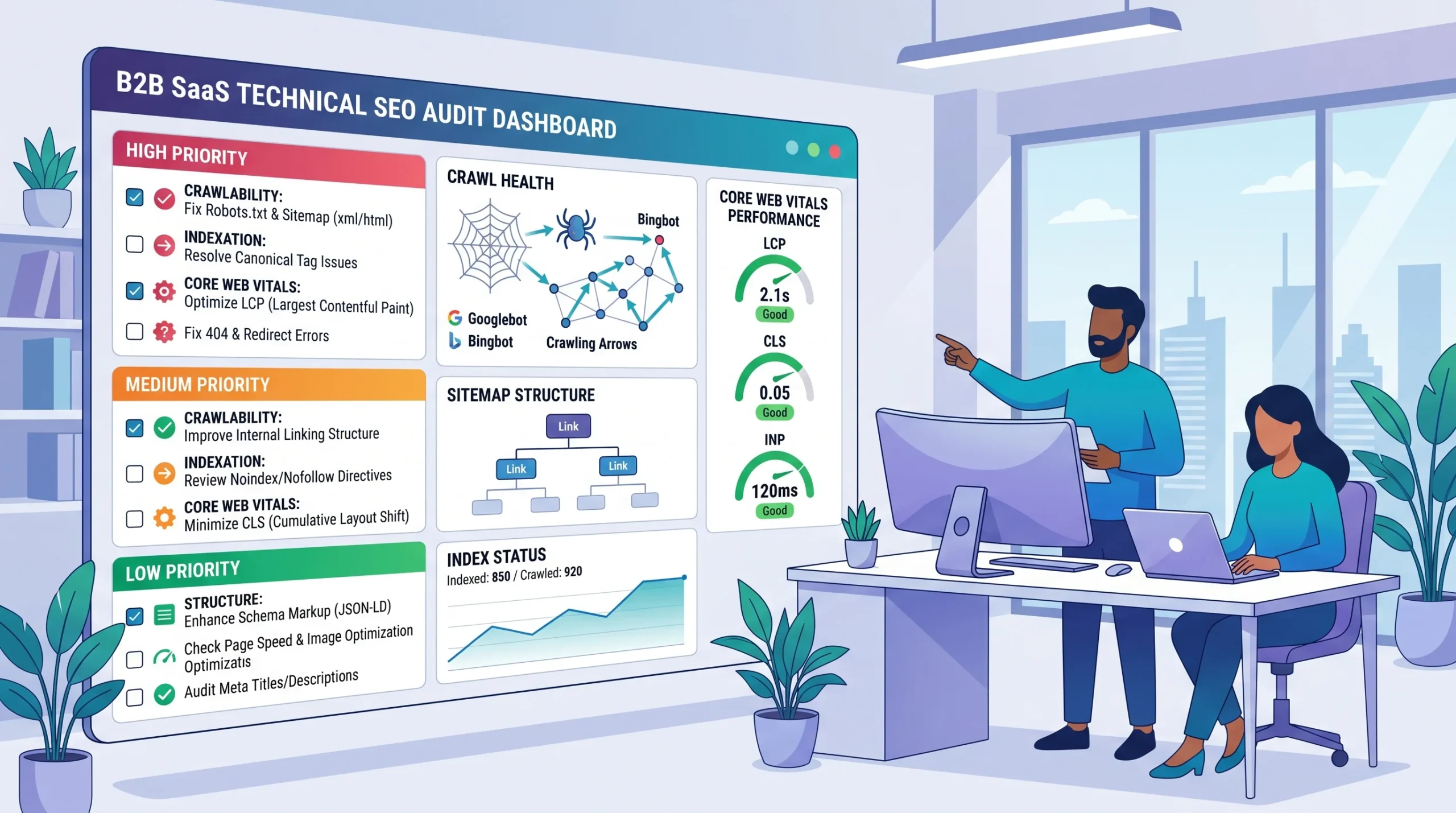
This guide is built for SaaS specifically. You’ll get a prioritized audit framework, not a list of 200 generic checks nobody has time for.
SaaS technical SEO is the process of ensuring a SaaS website’s infrastructure crawlability, indexation, site architecture, page speed, and rendering meet search engine requirements so that content and product pages can rank and generate qualified organic traffic. Unlike e-commerce technical SEO, SaaS sites face distinct challenges from JavaScript-heavy frontends, near-duplicate pricing tiers, and help-center content that competes with marketing pages.
Why Most SaaS Technical SEO Audits Miss the Real Problems
Here’s the thing: running a site audit in SEMrush or Ahrefs and fixing every red error doesn’t mean your site will rank. It means you’ve addressed what the tool could detect.
The issues that actually suppress SaaS rankings are subtler. They’re structural. And they often come from the fact that SaaS products ship fast, which means the dev team has been making decisions (React rendering modes, URL parameters, feature page duplication) that were never reviewed through an SEO lens.
Technical debt is only part of the problem; the broader SaaS SEO mistakes that compound technical issues, like intent mismatches, keyword cannibalization, and AI Overview blind spots, are what prevent rankings from recovering even after the infrastructure is fixed.
According to First Page Sage and Powered by Search (2024–2025), B2B SaaS companies generate a 702% ROI from SEO, and combining SEO with content marketing can reduce customer acquisition costs by over 87%. That’s the upside. The downside is that technical debt quietly eats into those returns while everyone focuses on publishing more blog posts.
The gap between knowing this and acting on it is exactly why we document real SaaS SEO results from a 62% organic traffic lift for EaseUS to a 78% growth for Wondershare Filmora, all rooted in the same technical foundation this guide covers.
The most common pattern: a SaaS team publishes 60+ articles, then notices organic traffic growing for the first six months and then stalling. Crawl analysis usually reveals that Google is wasting crawl budget on paginated help center content, parameter-based duplicate pricing pages, or staging subdomain fragments that weren’t properly blocked.
What most guides skip is that SaaS technical SEO isn’t just about fixing errors. It’s about directing Google toward your highest-value pages and away from the content that dilutes your authority. Once your technical foundation is solid, off-page link authority is the next lever, and it’s where most SaaS teams stall.
The SaaS Technical SEO Audit: 5 Areas That Actually Move Rankings
1. Crawlability — Is Google Finding What Matters?
Start here. Everything else is irrelevant if Google can’t efficiently navigate your site.
Open Google Search Console → Settings → Crawl Stats. Look at the “pages crawled per day” trend and the “response breakdown.” If you’re seeing a high percentage of redirects or not-found responses, Google is burning crawl budget on dead ends instead of your money pages.
Before reading crawl data, make sure you understand how Search Console reports traffic, because reconciling Search Console and GA4 data as part of a technical SEO audit is a step most teams skip, and misreading the numbers here leads to wrong conclusions about which pages are actually receiving organic traffic.
To audit SaaS crawlability, follow these steps:
- Crawl your site with Screaming Frog (free up to 500 URLs, or use the licensed version for larger sites)
- Filter for 3XX redirects — eliminate chains longer than one hop
- If your audit surfaces 404 errors, your first instinct may be to redirect them all to the homepage. That’s a mistake. See exactly why in our guide to 404 redirect to homepage SEO and what Google does instead.
- Check robots.txt for accidental blocks on CSS, JS, or key landing pages
- In Ahrefs Site Audit, run “Crawl Depth” — any important page buried more than 3 clicks from the homepage is at risk
- Submit an updated XML sitemap in GSC and verify all included URLs return 200 status
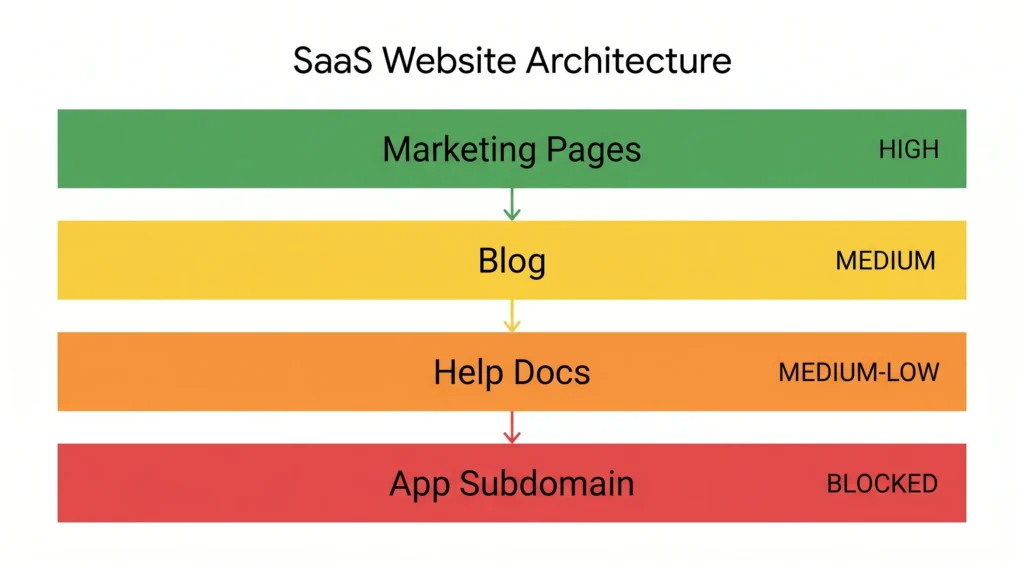
Quick note: SaaS help centers are the most common crawl budget drain I see. If your docs live at /help/ or on a subdomain, decide deliberately — are they supposed to rank? If not, use a noindex directive or Disallow in robots.txt. If yes, ensure internal linking from marketing pages supports them.
2. Indexation Issues Specific to SaaS Architecture
Not every crawled page should be indexed. And not every page you want indexed is.
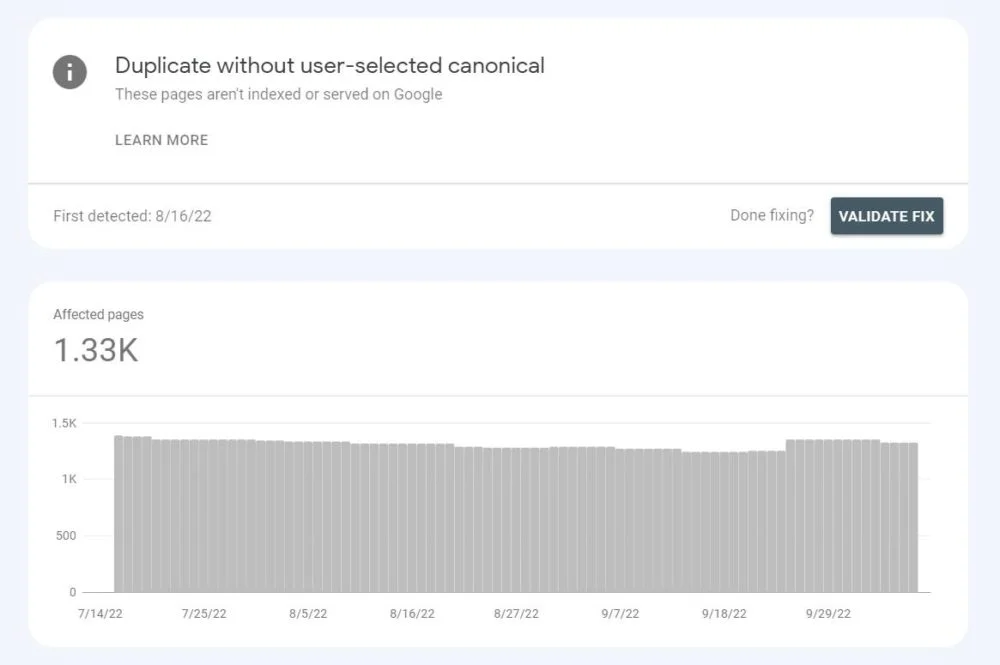
Pull a Coverage Report in Google Search Console. The “Excluded” tab is where SaaS teams usually find their biggest leaks. The two most common SaaS-specific indexation problems:
Duplicate pages from pricing tier variations. If your SaaS has pages like /pricing/starter, /pricing/pro, /pricing/enterprise, and each one shares 80%+ of its content, Google sees near-duplicate thin pages. Fix: consolidate to a single /pricing/ page with tabbed or anchored sections, or add canonical tags pointing to the primary version.
Parameter-based duplicates. Trial signup flows, UTM parameters, and filtered search results often create URL variants like /features/?ref=homepage that get indexed accidentally. Use the URL Parameters tool in GSC (if still available for your property) or implement canonical tags site-wide on parameterized URLs.
Some SEO professionals argue that canonical tags alone are enough to handle SaaS duplicate content. That’s valid for mild cases. But if you’re generating dozens of near-identical pages through app logic, canonical tags are a band-aid; the real fix is architectural.
3. JavaScript Rendering The SaaS-Specific Landmine
This is the issue almost no general SEO guide addresses. And it directly affects most SaaS sites. If your SaaS product is built on Angular, the rendering challenges go even deeper. See our complete breakdown of AngularJS SEO rendering issues for the full diagnostic and fix framework.
If your marketing site or product pages are built on React, Next.js, Vue, or Angular, your content may not be visible to Google on first crawl. Googlebot uses a two-wave crawling process: it crawls HTML immediately, then renders JavaScript in a second wave that can be delayed by days or weeks.
Or maybe I should say it this way: your page might look perfect to a visitor, but show Googlebot an empty shell on the first pass.
How to check: Use Google Search Console → URL Inspection → “Test Live URL” → view the rendered screenshot. If your H1, body copy, or CTAs aren’t visible in that rendered view, you have a rendering problem.
Fix options by priority:
- Next.js sites: Use Server-Side Rendering (SSR) or Static Site Generation (SSG) for all marketing and landing pages, not Client-Side Rendering (CSR)
- React SPAs: Implement dynamic rendering with a tool like Rendertron or switch key marketing pages to SSR
- All frameworks: Prerender critical above-the-fold content in the initial HTML response
I’ve seen conflicting data on how long Google’s second-wave rendering delay actually is. Some sources cite hours, others cite weeks, depending on crawl priority. My read is that for new or low-authority SaaS sites, assuming days is safer than assuming hours. Don’t leave revenue pages dependent on second-wave rendering.
For the official breakdown of how Googlebot handles JavaScript, Google’s JavaScript SEO basics guide confirms the two-wave crawling process and explains why CSR pages are deprioritized.
4. SaaS Site Architecture and Internal Linking
Traffic doesn’t just come from rankings. It flows through a site based on internal linking, which directly affects which pages accumulate PageRank and how Google understands your content relationships.
Most SaaS blogs are structured as flat silos: individual articles with no connective tissue. That’s fine early on. But once you have 40+ articles, flat architecture dilutes authority across too many URLs with no clear hierarchy.
Quick Comparison: SaaS Content Architecture Models
| Model | Best For | Key Benefit | Limitation |
| Flat Blog | Early-stage SaaS (<30 articles) | Simple to manage | Authority gets diluted at scale |
| Topic Cluster | Mid-stage SaaS (30–100 articles) | Concentrates authority on pillar pages | Requires ongoing internal linking maintenance |
| Programmatic + Cluster | High-volume SaaS | Scales to thousands of pages | Risk of thin content; needs quality controls |
| Product-Led Content Hub | PLG SaaS companies | Aligns content with product features | Requires close marketing/product coordination |
Topic cluster architecture, where one pillar page links to and receives links from a group of supporting articles, is the standard recommendation. That’s not wrong. But the implementation detail most guides skip: your pillar page needs to be the deepest treatment of the topic, not just a summary with links. Google needs a reason to treat it as the authority node.
5. Core Web Vitals for SaaS: What Actually Matters
Core Web Vitals (CWV) are now a confirmed Google ranking signal. For SaaS sites, the metrics that most often fail are Largest Contentful Paint (LCP) and Cumulative Layout Shift (CLS).
LCP is usually slow because of hero images that aren’t preloaded, or because the main heading/content block is rendered by JavaScript rather than served in the HTML. CLS that annoying jump when a page loads is often caused by fonts loading after content, or by dynamic components (cookie banners, chat widgets) that push content around.
Look, if you’re running a Next.js marketing site and your LCP is over 4 seconds, here’s what actually works: set priority on your hero image in the <Image> component, preconnect to your font CDN, and defer your Intercom/Drift widget load until after the page is interactive.
Check your CWV data in the GSC → Core Web Vitals report. Don’t rely on PageSpeed Insights alone; it shows lab data, which often differs significantly from real-user field data in GSC.
One counterintuitive insight: Many SaaS companies invest heavily in speeding up their blog, when their highest-converting pages, pricing, features, and demo landing pages have far worse CWV scores. Prioritize by conversion value, not by traffic volume.
| Page Type | LCP Target | Actual LCP (Typical Mid-Stage SaaS) | CLS Target | Actual CLS | Status |
| Blog post | < 2.5s | 1.8s–2.4s | < 0.1 | 0.05–0.08 | ✅ Usually passes |
| Feature page | < 2.5s | 2.6s–3.8s | < 0.1 | 0.08–0.14 | ⚠️ Often borderline |
| Pricing page | < 2.5s | 3.2s–5.1s | < 0.1 | 0.12–0.22 | ❌ Frequently fails |
| Demo/signup page | < 2.5s | 3.8s–6.0s | < 0.1 | 0.15–0.28 | ❌ Worst performer |
AI Overviews, Zero-Click SERPs, and What SaaS Teams Should Actually Do
This is what neither competitor’s article touches. And it matters.
As of early 2025, Google’s AI Overviews appear in roughly 30% of search results and 74% of problem-solving queries (Search Engine Journal). For SaaS technical SEO content, which is heavily informational, a significant portion of your target keywords now trigger AI Overviews.
According to BrightEdge, Google search impressions have increased 49% since AI Overviews launched, but clicks from AI Overview results are lower than traditional organic listings.
This doesn’t mean SEO is less valuable. It means the type of content that earns organic traffic is shifting.
What works in an AI Overview environment: highly specific, structured content definitions, numbered steps, and comparison tables that Google can extract and cite. The 52% of AI Overview citations that come from top-10 ranking pages (per one dataset) tells you that ranking well is still the prerequisite. The additional layer is making your content citation-friendly with a clear structure and authoritative sourcing.
For SaaS specifically: product-specific guides (e.g., “how to set up SSO in [Your Product]”), integration comparison pages, and structured feature documentation tend to perform well because they answer specific questions Google’s AI can’t fully synthesize from generic sources.
Voice Search / AEO Q&A
Q: What’s the best way to start a SaaS technical SEO audit?
A: Begin with Google Search Console’s Coverage and Crawl Stats reports to identify indexation issues and crawl budget waste before touching anything else. That gives you the highest-impact fixes first.
Q: How do I fix duplicate content from pricing tier pages on a SaaS site?
A: Consolidate pricing variations into a single URL with anchored sections, or implement canonical tags pointing to your primary pricing page. Architectural consolidation is more reliable than canonicals alone.
Q: Should SaaS help center content be indexed for SEO?
A: It depends on whether it targets keywords with organic traffic potential. If it does, support it with internal links from marketing pages. If it’s purely support documentation, noindex it to preserve crawl budget for revenue pages.
Q: Why does my SaaS site rank well in Google Search Console but get no clicks?
A: Low CTR despite rankings usually points to title/meta description mismatch with search intent, or your snippet being absorbed into an AI Overview. Test different title formats and add structured data to improve snippet visibility.
Q: When should a SaaS company invest in technical SEO versus content?
A: Fix technical SEO first if you have indexation errors, crawl issues, or Core Web Vitals failures — content won’t rank on a broken foundation. Once technical health is stable, content and link building compound far more effectively.
What to Fix First: A SaaS Technical SEO Priority Ladder
Not every fix moves the needle equally. This is how to sequence your work:
Tier 1 Fix immediately (ranking blockers):
- Pages accidentally blocked in robots.txt or noindexed
- JavaScript rendering failures on key landing pages
- Broken canonical chains that create duplicate indexation
Not sure which tier your site is stuck in? We offer a free technical SEO audit, a 30-minute teardown of your crawl health, indexation, and Core Web Vitals delivered by a senior strategist within 3 business days.
Tier 2 Fix within 30 days (authority leaks):
- Redirect chains longer than one hop
- Near-duplicate pricing/feature pages without canonicals
- Help center content indexed without intent alignment
Tier 3 Fix within 90 days (performance gains):
- LCP and CLS failures on pricing, demo, and feature pages
- Internal linking gaps between blog content and product pages
- XML sitemap hygiene (remove noindex, redirected, and 4XX URLs)
Quick Reference SaaS Technical SEO Priority Ladder
| Priority Tier | Issue Type | Tools to Use | Timeline |
| Tier 1 Fix Immediately | Accidental noindex/robots.txt blocks; JS rendering failures; broken canonical chains | Google Search Console, Screaming Frog | Within 7 days |
| Tier 1 Fix Immediately | Staging subdomain content indexed in production | Google Search Console URL Inspection | Within 7 days |
| Tier 2 Fix Within 30 Days | Near-duplicate pricing/feature pages without canonicals | Screaming Frog, Ahrefs | 2–4 weeks |
| Tier 2 Fix Within 30 Days | Help center content indexed without keyword demand | GSC Coverage Report | 2–4 weeks |
| Tier 3 Fix Within 90 Days | LCP and CLS failures on high-converting pages | PageSpeed Insights, GSC CWV Report | 30–90 days |
| Tier 3 Fix Within 90 Days | Internal linking gaps between blog and product pages | Ahrefs, Screaming Frog | 30–90 days |
That changes everything. Most SaaS teams spend their time on Tier 3 cosmetic fixes while Tier 1 blockers silently suppress their most important pages.
The Honest Limitation of Technical SEO
Technical SEO is necessary but not sufficient.
A perfectly crawlable, fast, well-structured SaaS site with zero content and no backlinks will still rank for nothing. Technical work creates the foundation. It removes the ceiling. But traffic comes from content relevance and domain authority, building on top of that foundation.
This guide covers the technical layer. It does not address keyword strategy, content depth, or link acquisition, all of which are equally important for SaaS organic growth.
Conclusion
Your technical SEO audit doesn’t need to be exhaustive. It needs to be in the right order.
Start with Google Search Console. Identify what’s indexed that shouldn’t be, and what’s blocked that should rank. Then fix your JavaScript rendering for any React or Next.js pages. Then build an internal linking structure that channels authority toward your highest-value pages.
The one mistake to avoid: running a tool audit, exporting 400 errors, and handing the list to your dev team with no prioritization. That creates friction, kills goodwill, and usually results in nothing getting fixed.
Fix Tier 1. Ship it. Then move to Tier 2. If you’d rather have a senior strategist run this audit for you, our complete SEO optimization for SaaS service covers every layer from crawl diagnostics to Core Web Vitals fixes to schema implementation.


Leave a Reply