
Last updated: May 2026
This guide covers content writing for blogs, websites, and freelance clients. It does NOT address scriptwriting, academic writing, or technical documentation, which need a different playbook.
Most content writing advice is useless.
It tells you to “know your audience” and “write with purpose” platitudes that feel helpful until you’re staring at a blank doc at 11 pm, wondering why your last five posts got zero traction. Generic advice doesn’t fix a broken process. A real system does.
This guide gives you that system: from research to publishing, with the specific techniques that separate content that ranks and gets shared from content that disappears the moment you hit publish.
What are content writing tips? Content writing tips are proven techniques that help writers produce clear, engaging, and search-optimized text for blogs, websites, and digital platforms. They cover the full process from keyword research and outlining to editing and SEO formatting so content reaches the right audience and actually gets read.
The Real Reason Your Content Isn’t Working
Here’s the thing: the problem usually isn’t your writing. It’s your process or the lack of one.
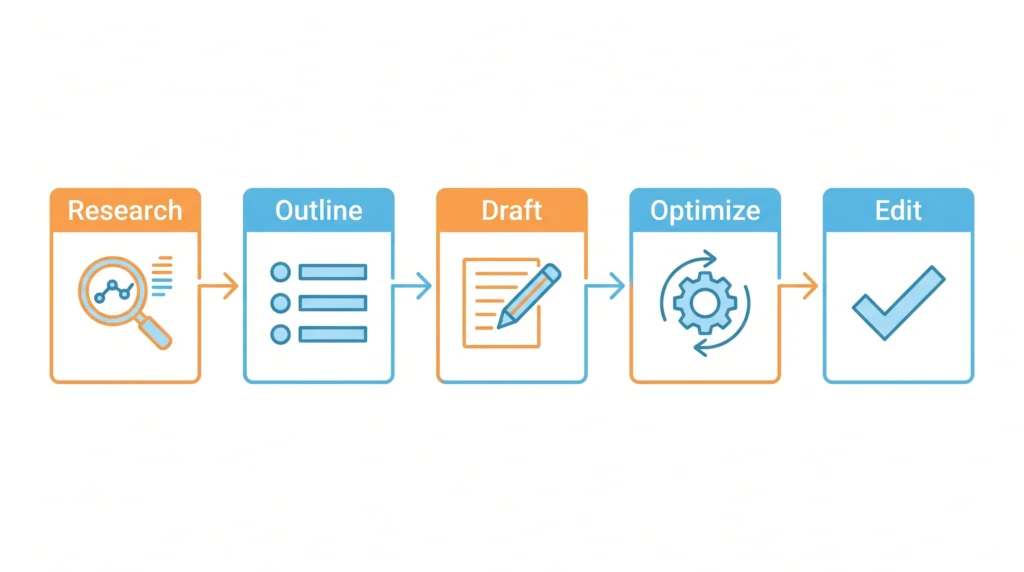
Writers who get results don’t sit down and “just write.” They follow a repeatable workflow: research first, outline second, draft third, optimize last. Skip any step and the whole thing falls apart. You end up with a well-written post nobody finds, or an SEO-stuffed article nobody finishes.
According to SEMrush’s content marketing research, long-form blog posts generate 77% more backlinks than shorter ones and see 4.5x more shares. That’s not a coincidence; depth signals effort, and effort signals trust. But depth without structure is just a wall of text.
Quick note: There’s a common belief that writing more means ranking better. Length matters, but only when every paragraph earns its place.
Step 1: Research That Actually Informs Your Writing
Bad research looks like: spending 10 minutes on Google, reading two articles, and calling it done.
Real research means understanding three things before you write a single sentence:
- What your reader already knows, so you don’t waste their time explaining basics they’ve moved past
- What the top-ranking content covers, so you know the floor, not the ceiling
- What’s missing is the gap your article fills that others don’t
Start with your primary keyword in Ahrefs or a free alternative like Google Search Console. Look at the “People Also Ask” box and the autocomplete suggestions; those are real questions from real people. Write them down. Those become your H3s.
Then open the top 3 ranking articles and ask: What do all three skip? That gap is your competitive advantage.
Users who rush this step often report writing articles that overlap entirely with existing content, no differentiation, and no reason for Google (or a reader) to choose theirs.
Not sure which keywords are realistic for your site? See our guide on choosing the right keywords for your content.
Step 2: Build an Outline Before You Write a Word
Most beginner writers skip the outline. That’s the mistake.
An outline isn’t bureaucratic busywork; it’s the difference between writing that flows and writing that wanders. A solid outline forces you to answer one question before you start: What is this article actually trying to do?
To outline a blog post that ranks, follow these steps:
- Write your H1 (working title), keep the primary keyword in the first 3 words
- List your H2 sections. Each one should answer a different sub-question, not repeat the same idea
- Add 1–2 bullet points under each H2 showing what evidence or example will go there
- Mark where your featured snippet block, comparison table, or Q&A section will live
- Note any internal or external links you plan to include
That’s it. The whole thing takes 15 minutes and saves you two hours of revision.
Look, if you’re the type who hates outlines because you feel they kill momentum, try this: write a messy outline in 5 minutes just to test it. You’ll almost always find two sections that overlap or one that doesn’t belong. Fixing that before you draft saves real time.
Step 3: How to Write a First Draft Without Freezing Up
The draft stage has one rule: finish before you fix.
Editing while writing is how drafts die. You polish sentence three, while sentence ten never gets written. Turn off spell-check. Close Grammarly temporarily. Write the whole thing ugly.
What makes a first draft useful rather than painful:
- Start in the middle. The intro is the hardest part. Write section two first, then come back.
- Write like you’re explaining to a smart friend. Not a professor. Not a client. A friend who’ll say “wait, what does that mean?” if you get vague.
- Use your outline as a script, not a cage. If a better idea shows up mid-draft, note it don’t abandon the structure to chase it.
Or maybe I should say it this way: the draft’s job isn’t to be good. It’s to exist. You can’t edit a blank page.
One common mistake beginners make is writing long, complex sentences to sound credible. Short sentences hit harder. Varying length is what creates rhythm.
Step 4: SEO Optimization What to Do and What to Skip
Some SEO professionals still recommend aggressive exact-match keyword placement in every heading. That can work short-term, but Google’s Helpful Content system is now far better at detecting over-optimization than it was three years ago.
Here’s what actually matters in 2026:
Do this:
- Place your primary keyword in the H1, first paragraph, one H2, and naturally 2–4 more times throughout no more
- Use Surfer SEO or NeuronWriter to check semantic coverage. These tools show which related terms top-ranking pages include, so you can cover the topic fully without keyword stuffing
- Write a meta description under 158 characters with the keyword near the start and a clear benefit statement
- Keep URLs short: yoursite.com/content-writing-tips beats yoursite.com/the-best-content-writing-tips-for-beginners-2026
Skip this:
- Exact-match keywords in every heading
- Keyword density percentages as a hard target
- Forcing LSI keywords in places where they sound unnatural
Most people assume SEO optimization happens after writing. The data says otherwise; the articles that rank consistently are the ones where SEO structure is built into the outline stage, not bolted on at the end.
Several of these optimization errors overlap with the common SEO mistakes that kill organic traffic we see small business owners make repeatedly.
GEO Optimization: Writing for AI Search (The Gap Most Articles Miss)
This is what most 2026 content writing guides still don’t address.
AI-powered search tools, such as Google’s AI Overviews, ChatGPT search, and Perplexity, pull answers from content differently than traditional search. They favor:
- Direct-answer paragraphs of 45–60 words that start by restating the question
- Comparison tables with clear headers
- Numbered steps under 15 words each
- FAQ-style Q&A blocks near the end of the article
Write at least one section in each of these formats, and you increase your chances of appearing in AI-generated summaries not just on page one. This isn’t optional anymore. It’s table stakes.
Quick Comparison: Content Writing Approaches
| Content Writing Step | What It Does | Biggest Mistake to Avoid | Recommended Tool |
|---|---|---|---|
| Keyword Research | Identifies what your audience actually searches for | Chasing high-volume keywords your site can’t rank for | Ahrefs / Google Search Console |
| Outlining | Creates structure before writing begins | Skipping the outline and writing by instinct | Google Docs / Notion |
| Drafting | Gets ideas into text without self-editing | Stopping to polish before the draft is complete | Any plain text editor |
| SEO Optimization | Signals relevance to search engines | Forcing exact-match keywords into every heading | Surfer SEO / NeuronWriter |
| GEO Optimization | Gets content pulled into AI-generated answers | Writing only for traditional search, ignoring AI Overviews | Manual formatting (tables, FAQ blocks) |
| Editing | Improves readability and removes filler | Editing only for grammar, not for structure | Grammarly + read-aloud test |
Step 5: Edit Like a Reader, Not a Writer
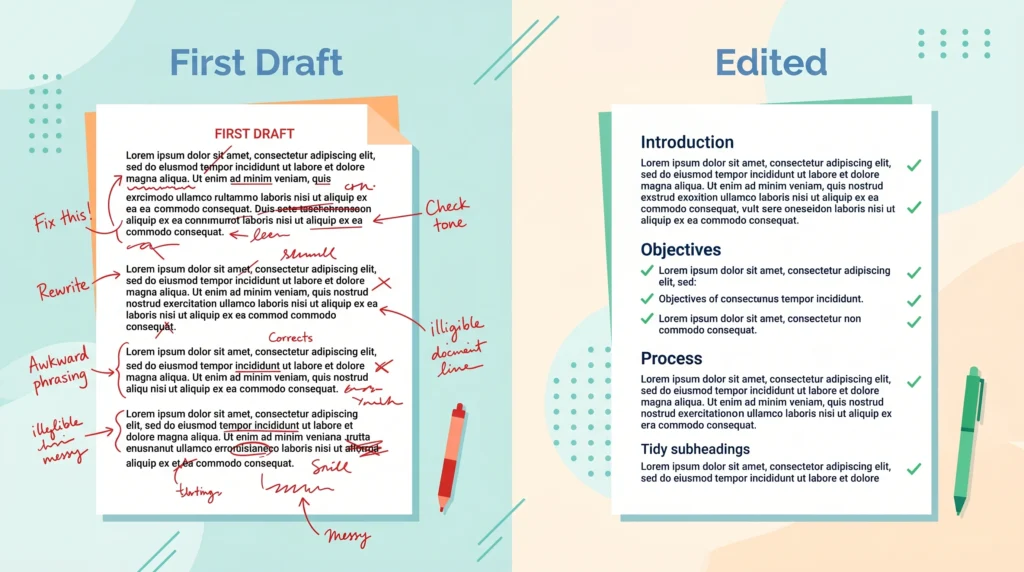
Editing is where good content gets made. Most writers under-invest here.
After your draft is done, wait at least an hour longer if you can. Then read it out loud. Your ear catches what your eye misses: sentences that run too long, transitions that don’t connect, paragraphs that repeat the same idea in different words.
Use Grammarly for surface errors, but don’t let it rewrite your voice. Its suggestions for “formality” often strip out the natural tone that makes content readable.
A practical editing checklist:
- Does every paragraph answer the question the H2 raised?
- Is the first sentence of each section strong enough to keep a mobile reader scrolling?
- Are there any paragraphs over 60 words? Break them.
- Does the intro promise something the article delivers?
- Is there any sentence that adds zero information, just restates the previous one? Delete it.
I’ve seen conflicting data on ideal article length. Some studies point to 1,500 words as the sweet spot, others to 2,500+. My read: length should match the complexity of the topic, not a word count target. A 900-word article that fully answers a focused question outperforms a 3,000-word article padded with obvious filler.
That changes everything in how you approach revision.
The One Content Writing Habit That Separates Good Writers From Struggling Ones
Consistent writers review what worked and what didn’t before starting the next piece.
That means checking: Did the last article get indexed? Did it rank for anything? Where did readers drop off? Tools like Google Search Console (free) and Ahrefs show you this data. Most beginners skip this feedback loop entirely and wonder why they’re not improving.
What most guides skip: Your content strategy is only as good as your distribution plan. The best-written article with zero promotion gets zero traffic in the first 90 days. Share it in 2–3 relevant communities, repurpose the key insight as a LinkedIn post, and build at least one internal link from an existing page. These aren’t optional steps; they’re what give the article a fighting chance while Google builds trust in your domain.
Voice Search & AEO Q&A
Q: What’s the best way to start a blog post?
A: Start with the reader’s problem, not a definition. Your first sentence should make someone feel understood — then immediately signal that this article has the answer they’ve been looking for.
Q: How do I improve my content writing skills fast?
A: Write one piece per week using a fixed process — research, outline, draft, edit. Review your analytics monthly. Deliberate repetition with feedback beats passive consumption of writing tips every time.
Q: Should I use AI tools to write my content?
A: Use AI for research, outlines, and light editing assistance — not for full drafts. Content written entirely by AI tends to lack the specific examples, honest opinions, and practical nuance that both readers and search engines reward in 2026.
Q: Why does my content rank but nobody reads it? A: Your title or meta description is likely weak. If the headline doesn’t create curiosity or signal a specific benefit, even a page-one ranking won’t get clicks. Test your titles using CoSchedule’s Headline Analyzer before publishing.
Q: When should I update old content instead of writing something new?
A: Update when a post ranks in positions 8–20 for a valuable keyword — it’s already close. Refresh the stats, improve the intro, add a comparison table or FAQ block, and strengthen internal links. New content takes months to rank; updated content can move in weeks.
The Last Step Most Writers Never Take
Publish, then set a reminder to revisit the article in 90 days.
Check rankings, update any outdated stats, and strengthen any sections that feel thin after seeing how real readers engage. Content isn’t a one-time output. It’s an asset that compounds when you maintain it.
Once your content is solid, the next lever is building the off-page signals that support your content backlinks, mentions, and authority signals Google uses to validate what you’ve written.
One mistake to avoid: treating every article as finished the moment it goes live. The writers who build consistent traffic treat publishing as the beginning of the process, not the end.
Your next step: pick one article you’ve already written, run it through the editing checklist in Step 5, and add a comparison table or Q&A section to it. That single update applied to existing content is often worth more than writing three new pieces from scratch.

Leave a Reply