
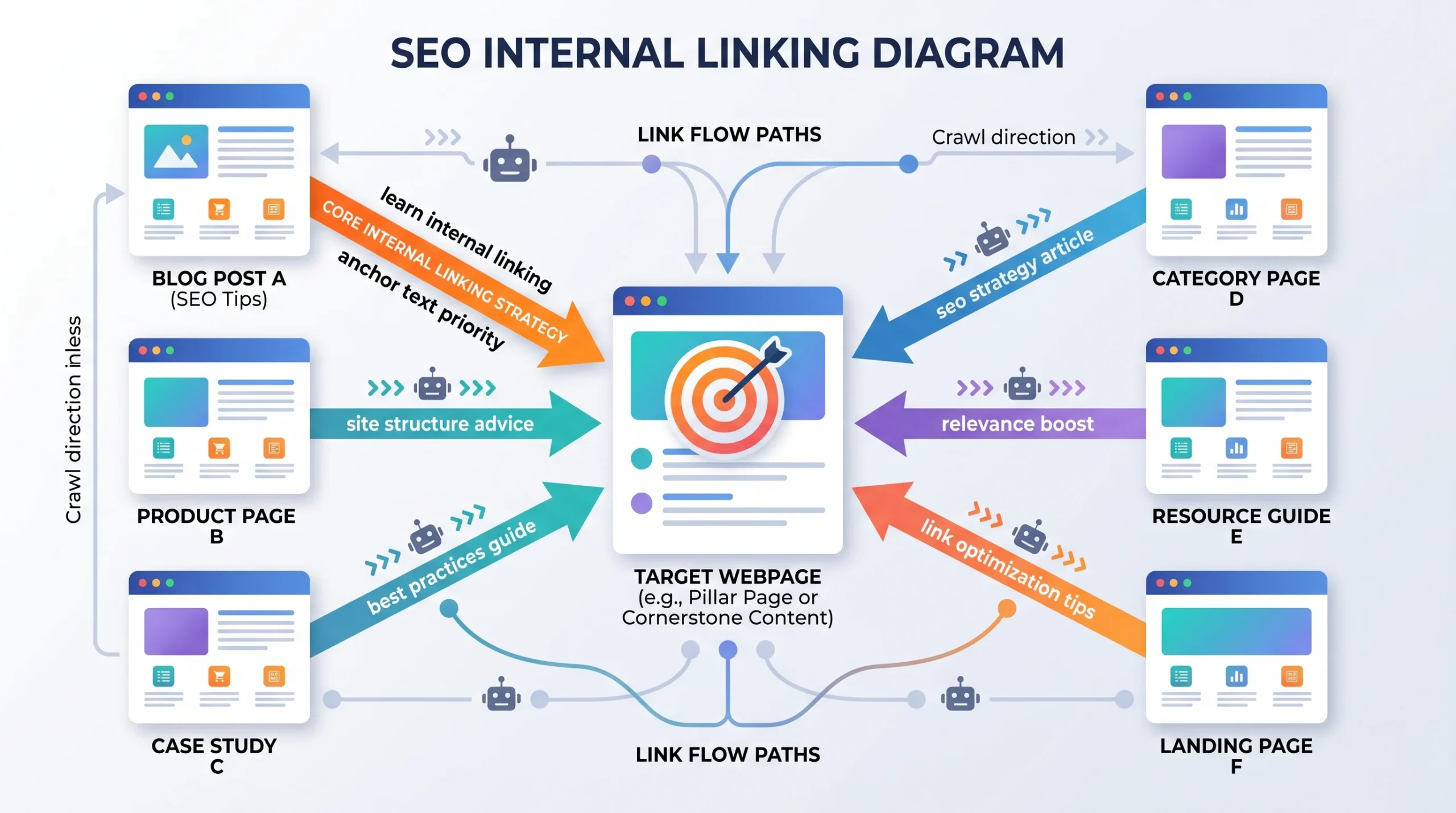
Last updated: May 2026
This guide covers internal linking behavior for standard HTML websites. It does NOT address JavaScript-rendered SPAs, hreflang implementations, or external backlink profiles; those are separate conversations.
Your nav links to it. Your sidebar links to it. Three blog posts link to it. Now you’re staring at Screaming Frog, wondering if you’ve accidentally created a tangled mess or a perfectly reinforced authority signal.
Most answers you’ll find online say “it’s fine.” Then stop there. That’s not helpful. The real answer is more specific: it depends on which link Google sees first, what anchor text each link uses, and whether the duplication serves users or just happened by accident.
Here’s what actually matters.
What “Multiple Links to the Same Page” Actually Means in SEO
SEO multiple links to same page refers to any situation where more than one hyperlink on a single page or across multiple pages points to the same destination URL. This includes links from navigation menus, sidebars, body copy, footers, and CTAs, all landing on the same target.
This isn’t inherently a problem. It becomes one when you don’t understand which link Google is reading as the primary signal and why that distinction can silently override your optimization work.
According to a 2025 Zyppy analysis of 23 million internal links across 1,800 websites, pages with at least one exact-match internal anchor text received approximately 5× more Google Search clicks than pages with no exact-match anchor. That’s not a small effect. And it’s why which of your duplicate links carries the keyword-rich anchor text is worth caring about.
The First-Link Priority Rule: Why Your Nav May Be Stealing Credit
Here’s the thing: most guides mention first-link priority in a footnote, then move on. But this rule is exactly why duplicate internal links can silently hurt carefully optimized content.
The principle: When multiple links on a single page point to the same destination URL, Google gives primary anchor text credit to the first link it encounters during crawl, not necessarily the one you’d consider most important.
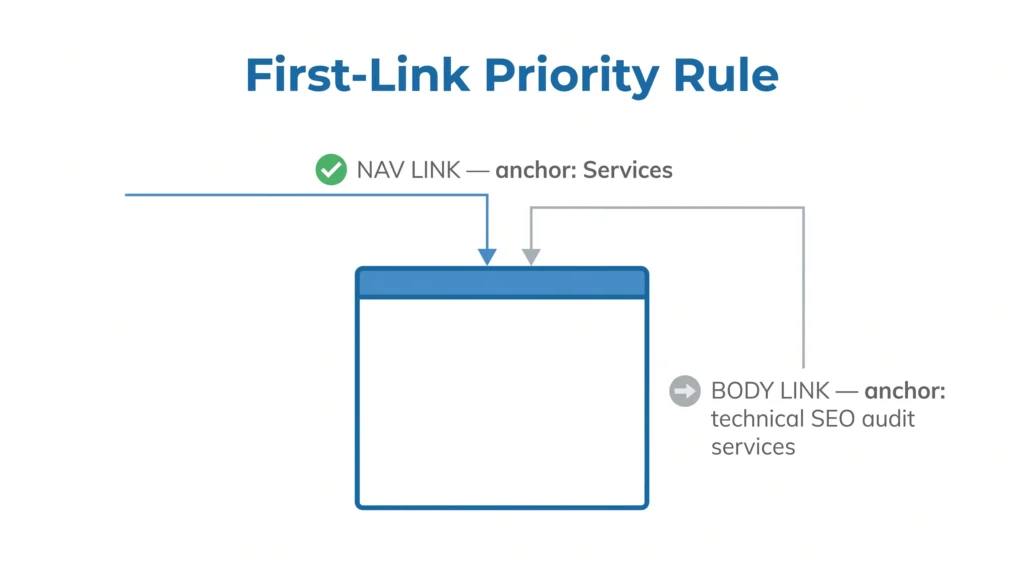
So if your site header links to /seo-services/ with the generic anchor text “Services” and then you write a beautiful body paragraph that links to /seo-services/ with the anchor “technical SEO audit services,” Google may discount that second, more descriptive anchor entirely.
Your carefully chosen anchor text didn’t count. The nav beat it.
If you’re unsure which keyword to prioritize in your anchor, that’s a signal to revisit how to choose keywords for each page you’re linking to before building your link structure.
No search engine has officially confirmed first-link priority as a hard rule. That’s worth acknowledging honestly. Some SEO researchers call it definitively proven; others find the evidence correlational. My read: the mechanism is real enough that experienced SEOs account for it in strategy, and the anchor-text-matters data (like the Zyppy study) supports taking it seriously even if the exact weighting is debated.
The URL Fragment Hack: A Tactic Most Guides Don’t Cover
Or maybe I should say it this way: there’s a simple technical workaround that almost no article on this topic bothers to explain, and it’s one of the most practical things you can do about first-link priority.
If your nav already links to yoursite.com/seo-services/ and you want a body link to that same page to receive independent anchor text credit, append a fragment identifier to the second link URL:
yoursite.com/seo-services/#technical-audit
Google treats URLs with different fragment identifiers as distinct link targets for anchor processing purposes. This means your body link with its keyword-rich anchor text gets evaluated separately from the nav link, not discarded as a duplicate.
SEO authority Cyrus Shepard has noted this fragment approach in technical SEO discussions as a legitimate way to preserve anchor text value when nav/header links compete with contextual body links.
Quick note: The fragment doesn’t need to match an actual page anchor. It’s functional as a signal differentiator even if the page has no matching id element. But linking to a real section anchor (like #faq or #pricing) is cleaner UX and is the recommended approach where possible.
When Multiple Links Actively Help Rankings
There are several scenarios where pointing multiple links at the same page is the right call and directly supports your SEO goals.
Pillar page consolidation. In a topic cluster model, multiple supporting articles all linking back to a central pillar page are by design. Each link from a different page passes independent equity and reinforces topical authority. This is different from multiple links on the same page; separate pages linking to the same destination don’t trigger first-link priority concerns.
Internal linking consolidates on-page authority, but it works best when paired with off-page authority signals that support your internal linking work.
Different user intent touchpoints. A nav link serves wayfinding. A body link serves contextual guidance. A CTA serves conversion. Three links, same URL, three legitimate purposes. Google’s systems are sophisticated enough to understand that a user-experience rationale exists here. The issue is anchor text if all three use the same generic text, you’ve missed three chances to send meaningful signals.
Anchor text variation across the same URL. Linking to the same page from different sections of the same article using slightly varied anchors (“internal linking strategy,” “link equity distribution,” “how Google crawls internal links”) is healthy. It reinforces topic relevance without over-optimizing on one exact phrase. The Zyppy data suggests exact-match anchors are powerful, but diversity within a theme is safer long-term.
When Multiple Links Become a Ranking Liability
Some SEOs still argue that more internal links to a priority page are always better. That’s valid for the volume argument on separate pages. But on the same page, the dynamics shift.
The nav override problem (covered above) is the biggest practical risk. Fix it with the fragment approach or by consciously choosing a more descriptive anchor for your nav links.
Over-optimization triggers. If every single internal link to a page uses the exact same anchor text, especially an exact-match commercial keyword, that pattern can register as manipulative. Some SEO professionals still recommend aggressive exact-match anchor text. That can work short-term. Google’s spam systems are far stricter now than they were a few years ago.
Crawl budget waste on large sites. For sites with 10,000+ pages, Googlebot operates with finite crawl bandwidth per site. Redundant links to the same URLs can eat into that budget without adding indexing value. For mid-size sites (50–500 pages), this is rarely a meaningful concern, but it’s worth knowing the threshold exists.
Footer and sidebar abuse. Some sites stuff footers with 30+ links to the same service pages. This does more damage to the perceived value of contextual body links than it does to help the footer targets. Googlebot de-weights links that appear in templated, non-content zones, and a footer pattern that repeats on every page passes increasingly diminishing returns per instance.
These are one of those common SEO mistakes that compound over time, not intentional, just accumulated default behavior.
Quick Comparison: Types of Duplicate Internal Links
| Link Type | SEO Weight | Best Use | Key Risk |
| Nav/header link | Low anchor value | Site-wide wayfinding | Overrides body link anchor (first-link priority) |
| Body contextual link | High anchor value | Topic reinforcement | Redundant anchors miss keyword opportunities |
| Sidebar link | Medium | Supplementary navigation | Over-repetition devalues contextual links |
| Footer link | Low | Legal/utility pages | Spam signal if used for money pages |
| CTA button link | Low anchor value | Conversion path | Generic text (“click here”) wastes the anchor signal |
How to Audit and Fix Duplicate Internal Links
To audit multiple links to the same page across your site, follow these steps:
- Run a site crawl in Screaming Frog SEO Spider. Export the “All Links” report and filter by target URL to identify which pages receive the most internal link instances.
- Open the Ahrefs Site Audit. Navigate to the Internal Links report and sort by “Inlinks” count. Flag any page receiving 10+ internal links from the same source page.
- Check Google Search Console. Under Links > Internal links, review which pages accumulate the highest internal link count and cross-reference with their current rankings.
- Identify nav vs. body anchor text conflicts. For your top 5 priority pages, check whether the first link Google encounters (usually header/nav) uses a generic anchor. If so, apply the fragment hack or rewrite the nav anchor.
- Deduplicate within body content. If a single article links to the same page three times in the body, keep the most descriptive anchor instance and convert others to natural prose references.
Look if you’re auditing a 400-page site and finding 50+ body links to the same homepage, the issue probably isn’t intentional; it’s accumulated CMS default behavior. That’s the most common scenario, and it’s completely fixable with a targeted link cleanup pass.
Voice Search & AEO: Direct Answers
Q: Does linking to the same page multiple times help SEO? A: It depends on context. Multiple links from different pages pointing to the same URL reinforces authority. Multiple links on a single page to the same URL primarily helps navigation — but only the first instance significantly influences anchor text signals.
Q: How do I fix the first-link priority problem on my site? A: Append a unique fragment identifier to duplicate links (e.g., /page/#section) so Google processes each link’s anchor text independently. Also audit whether your navigation link anchor text is descriptive enough to carry ranking value.
Q: Should I use different anchor text when linking to the same page multiple times? A: Yes. Varied but thematically consistent anchors (“internal link strategy,” “link equity flow,” “how to audit internal links”) send richer signals than identical repetition. Avoid exact-match repetition across every instance — it reads as over-optimized.
Q: Why does my nav link hurt my body link’s SEO value? A: Because of first-link priority — Google credits the anchor text of the first link it encounters to a given URL on a page. Nav links render earlier in the HTML than body copy, so they typically get credited first, displacing the more keyword-rich anchor you placed in your content.
Q: When should I remove duplicate internal links entirely? A: Remove them when they use identical anchor text, serve no user navigation purpose, appear in footer/sidebar templated zones on commercial pages, or exist solely because your CMS auto-generated them. Keep duplicates that serve distinct user journey stages (nav for discovery, body for context, CTA for conversion).
The Bottom Line
Multiple links to the same page aren’t an SEO penalty. They’re a management challenge.
The real risk is invisible: your nav overrides your body anchor, you repeat the same generic text across five links, and the page you care most about never receives the keyword signal you think you’ve been sending. That changes everything about how you audit internal links.
The fix isn’t to delete duplicate links. It’s to be intentional about which link goes first, what anchor text it carries, and whether the fragment technique buys you independent credit for the links that follow.
Avoid this mistake before you publish: Don’t add a new contextual body link to a priority page before checking what anchor text your navigation menu already uses to point there.


Leave a Reply