
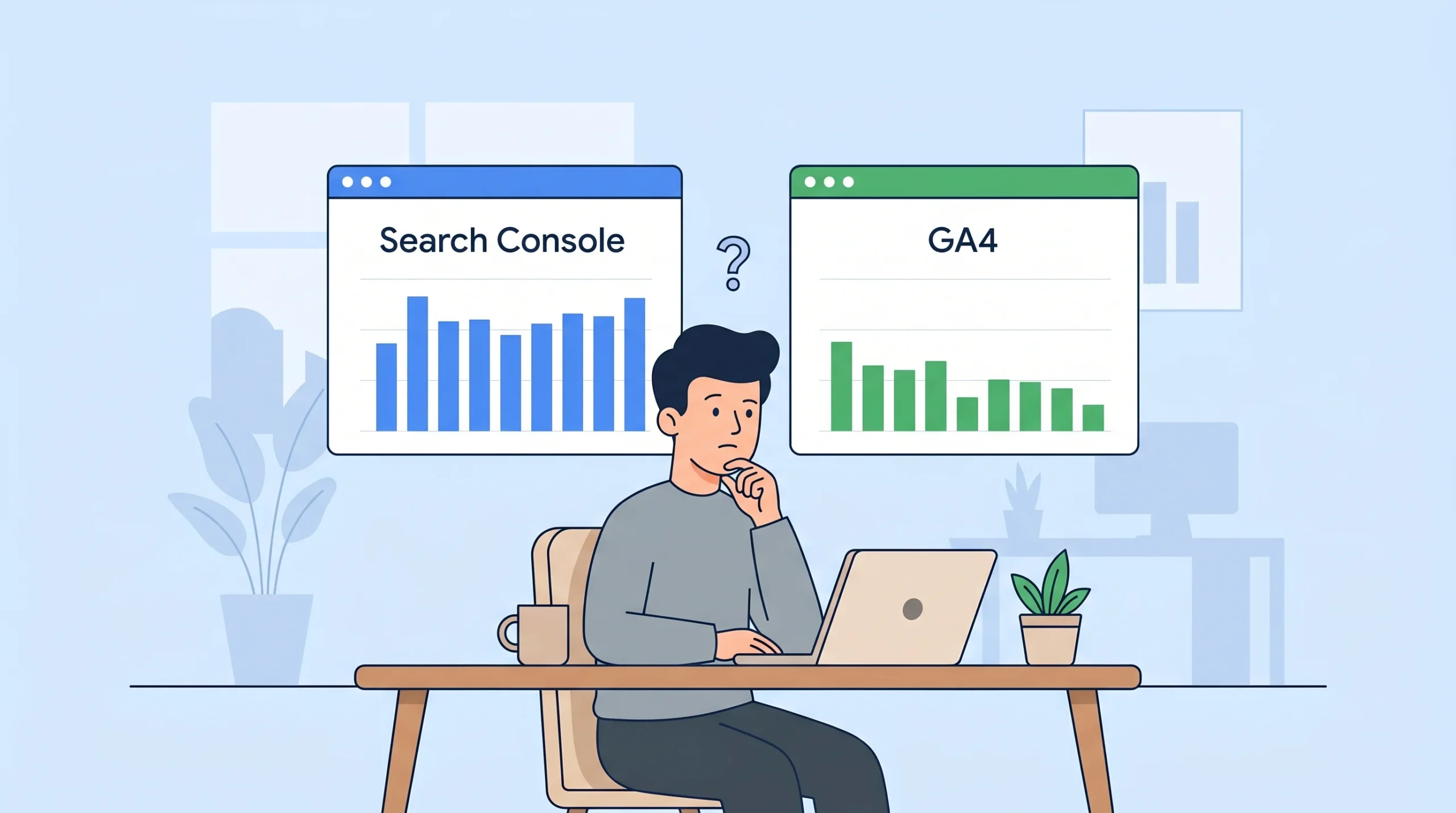
The search console clicks vs sessions discrepancy is one of the most Googled questions in SEO analytics, and most answers are either outdated or stop at “they measure different things.” That is technically true but practically useless.
You pull your monthly organic report. Search Console says 4,200 clicks. GA4 says 2,600 sessions from Google organic. That is a 38% gap, and your client wants an explanation by the end of the day.
This article breaks down every reason the numbers diverge, including two causes almost nobody covers: the Consent Mode v2 effect on GA4 session counts and the attribution quirk that can make GA4 sessions higher than GSC clicks. Both matter. Both are misunderstood.
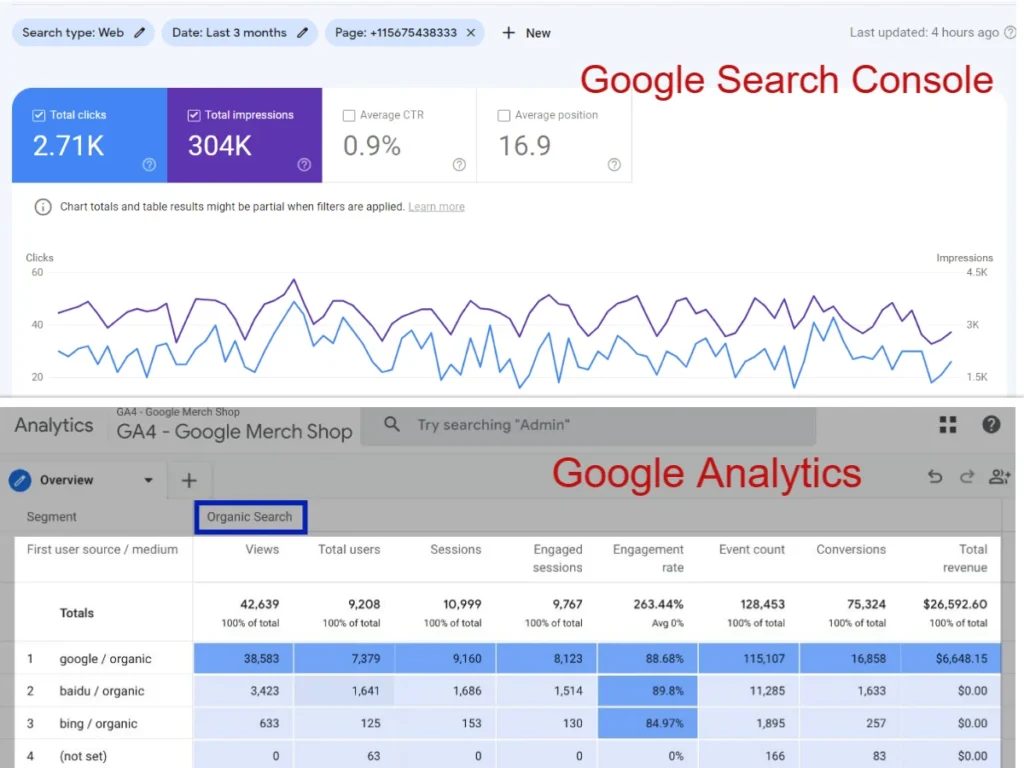
What “Search Console Clicks vs Sessions” Actually Means
Search console clicks vs sessions refers to the comparison between two different metrics tracked by two different tools. A click in Google Search Console is recorded the moment a user selects your listing in Google Search results. A session in Google Analytics 4 is a group of interactions on your website, counted only when the GA4 tracking code fires successfully in the user’s browser.
These are not the same event. One happens at Google’s servers. The other happens in the visitor’s browser. That single distinction explains most of the search console clicks vs sessions gap, but not all of it.
The 6 Real Reasons Your GSC Clicks Outnumber GA4 Sessions
Most guides list two or three reasons. Here are the six that actually matter in 2025 and 2026.
Why Search Console Clicks vs Sessions Gap Widens After Consent Mode v2
This is the one competitors miss entirely.
Since Google rolled out Consent Mode v2, GA4 now removes session data for any user who declines cookie consent. GSC keeps logging those clicks regardless because GSC tracks at the search result level, not inside the user’s browser.
Sites with mostly mobile audiences tend to see a larger gap, partly because mobile consent banner decline rates are higher. If you have not audited your site for mobile-first indexing and how it affects your organic traffic, that is worth doing alongside this analysis.
According to Primary Position (May 2025), global websites are seeing discrepancies of 50% or more between GSC clicks and GA4 sessions specifically because of this filtering. Sites with heavy EU or UK traffic are hit hardest, since cookie consent banners are legally required and a significant portion of visitors decline.
GA4 does use behavioral modeling to partially fill the gap, but it does not fully compensate. The modeled data is estimated, not measured.
Quick note: if your discrepancy got noticeably worse sometime in 2023 or 2024, Consent Mode v2 is the most likely culprit.
2. GA4 Requires JavaScript. GSC Does Not.
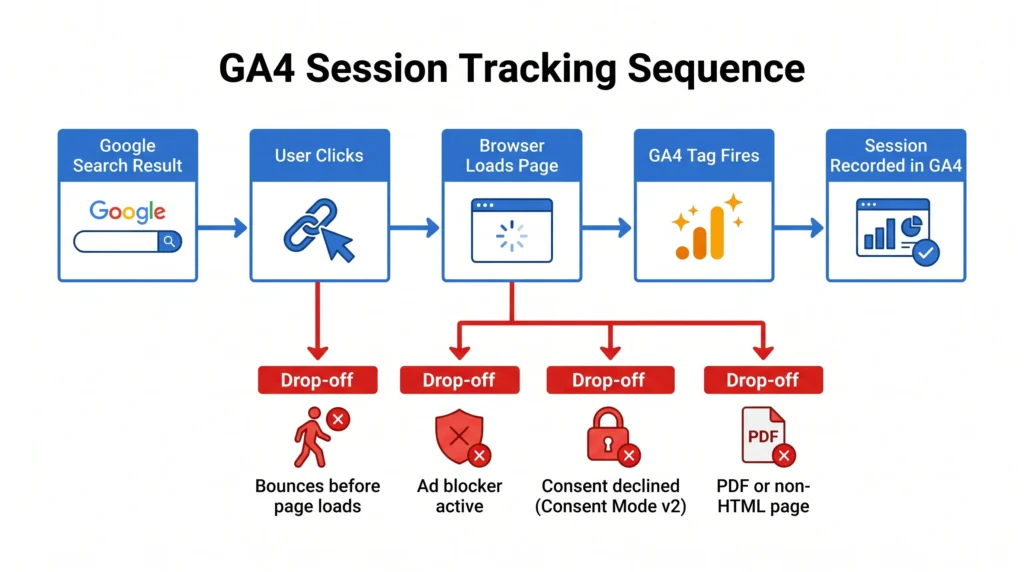
GSC counts a click the instant a user taps your result. GA4 counts a session only after the page loads and the JavaScript tracking snippet executes.
Three situations where the click happens but the session does not:
- The user clicks your result, then immediately hits the back button before the page finishes loading
- The user has an ad blocker or privacy extension that blocks GA4’s tracking script
- JavaScript is disabled in the user’s browser (rare, but real)
Each of those registers as a click in Search Console and zero sessions in GA4.
3. GSC Counts Clicks on Non-HTML Pages
If your site has PDFs, Word documents, or other file types indexed in Google Search, GSC tracks clicks to those URLs. GA4 does not track activity on non-HTML files by default.
A site with a lot of downloadable resources, technical documentation, or forms in PDF format can see significant GSC click volume that GA4 will never capture.
4. Time Zone Settings Create Date-Level Mismatches
Search Console uses a fixed global timeframe based on Pacific Time. GA4 lets you set a custom time zone per property.
If your GA4 property is set to, say, GMT+5 (Pakistan Standard Time) or BST (British Summer Time), you will see sessions shift across dates compared to what GSC reports. On any given day, especially at the start or end of a reporting period, this creates apparent discrepancies that are really just a clock difference.
Always align your date ranges manually and be aware that a Monday-to-Sunday pull in GSC may not perfectly match the same range in GA4, depending on your property’s time zone.
5. Search Type Filtering in GSC Defaults to Web Only
GSC separates clicks by search type: Web, Image, and Video. The default view shows Web only.
If your site receives image search traffic, video carousel clicks, or Google Discover traffic, those clicks sit in separate categories. GA4 counts all of those as sessions under Google organic.
To get a fair comparison, you need to add Web, Image, and Video clicks together in GSC before comparing to GA4.
6. Bot Traffic Handling Differs Between the Two Tools
GSC applies its own filtering to remove bot and crawler traffic from click data. GA4 has its own bot filtering settings, but the two systems do not use identical criteria.
In some cases, traffic that GSC filters as a bot gets counted as a session in GA4. In other cases, the reverse happens. The result is noise in both directions, though it typically has a smaller effect than the reasons above.
The Scenario Nobody Talks About: When GA4 Sessions Are Higher Than GSC Clicks
Here’s the thing: the gap does not always run in the direction you expect.
Some websites see GA4 reporting more sessions from Google organic than GSC reports clicks. If that sounds impossible, it is actually a direct result of GA4’s last non-direct attribution model.
Here is how it works. A user visits your site for the first time via Google organic search. That session is attributed to Google organic in both tools. They then return three more times by typing your URL directly or using a bookmark. GA4 attributes all four sessions to Google organic because it assigns the last non-direct source to subsequent direct visits. GSC records only one click, because only one search result was clicked.
Or maybe I should say it this way: GA4 is inflating your organic session count, not understating it, whenever you have a loyal returning audience that keeps visiting directly after an initial organic click.
I’ve seen conflicting data on exactly how much this inflates numbers. Some analyses suggest it is minimal for sites with mostly new visitors. For content-heavy sites with high return rates, it can be significant enough to flip the discrepancy entirely.
Quick Comparison: Google Search Console vs GA4 Sessions
| Factor | Google Search Console | GA4 Sessions |
|---|---|---|
| What it measures | Clicks from Google Search results | User sessions on your website |
| Where tracking happens | Google’s servers | User’s browser (JS required) |
| Consent Mode v2 impact | None, all clicks logged | Sessions removed for non-consenting users |
| Non-HTML files (PDFs) | Tracked | Not tracked |
| Attribution model | None, click = click | Last non-direct (inflates organic) |
| Bot filtering | Google’s own criteria | GA4’s own criteria, different rules |
| Time zone | Pacific Time (fixed) | Customisable per property |
How to Reconcile the Two Data Sources
To compare search console clicks vs sessions accurately, follow these steps:
- Set identical date ranges in both tools, accounting for time zone differences.
- In GSC, export Web, Image, and Video clicks separately, then sum them.
- In GA4, filter sessions by
session_source = googleandsession_medium = organic. - In GA4, check that Consent Mode v2 is enabled and review what percentage of sessions are modeled vs observed.
- Build a unified view in Looker Studio by connecting both GSC and GA4 as data sources side by side.
Each step under 15 words. Total under 85 words.
Linking GSC and GA4 in Looker Studio
Looker Studio is the most practical way to see both data streams in one place without toggling between platforms. Connect your GSC property and your GA4 property as separate data sources, then build a blended chart comparing GSC clicks and GA4 organic sessions by date. This blended view makes the search console clicks vs sessions ratio visible over time, which is far more useful than comparing raw totals on any single day.
The visual comparison makes it immediately obvious whether the gap is consistent (suggesting a structural cause like Consent Mode) or spiky (suggesting a tracking implementation issue on specific pages).
Google’s official guide to linking Search Console with GA4 confirms the integration is natively supported inside GA4’s property settings, with no third-party tool required.
Checking for GA4 Tracking Gaps
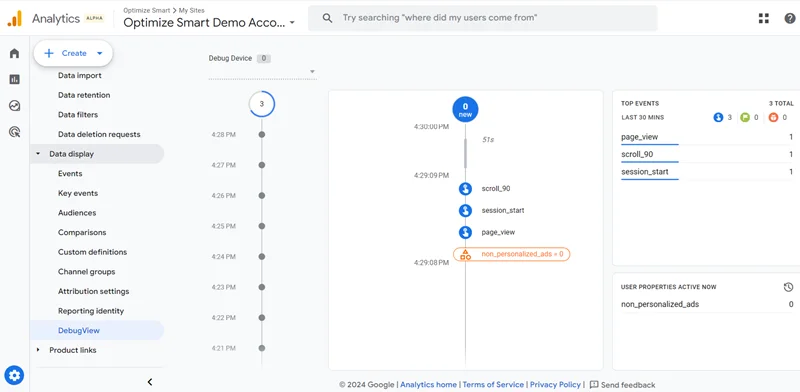
Before blaming Consent Mode, rule out a basic implementation problem. Open GA4’s DebugView or use Google Tag Assistant to verify that the GA4 snippet fires on every page that GSC is sending traffic to. A missing tag on a landing page template, a misconfigured redirect, or a SPA (single-page application) routing issue can silently drop sessions for specific URLs while GSC keeps counting clicks to those pages.
Which Tool Should You Trust for Reporting?
GSC vs GA4 for organic reporting: GSC is better suited for measuring how Google Search sees your site, including impressions, rankings, and raw click volume, because it tracks directly at the source. GA4 works better when analysing what users do after they land, including engagement, conversions, and behaviour. The key difference is that neither tool is “wrong.” They measure different parts of the same journey.
Use GSC to track your SEO performance trends. Use GA4 to track what those visitors actually do.
To make GSC click data actionable, you need the right keywords mapped to each page. See how to find the right keywords before measuring organic performance for a practical research process.
What most guides skip is this: you should not try to make the two numbers match. That is the wrong goal. The right goal is understanding the gap, being able to explain it, and knowing when a sudden change in the gap signals a real problem like a GA4 tracking breakage or a consent banner configuration error.
Voice Search and AEO: 5 Direct Questions Answered
Q: Why does Google Search Console show more clicks than Google Analytics sessions?
A: GSC counts every click from search results on Google’s servers. GA4 only counts sessions when its JavaScript fires in the browser. Users who bounce before the page loads, block tracking scripts, or decline cookie consent are counted in GSC but not in GA4.
Q: How do I reconcile Search Console and Google Analytics data?
A: Match date ranges, sum all GSC search types (Web, Image, Video), filter GA4 to Google organic only, check Consent Mode v2 settings, and use Looker Studio to view both sources side by side on one dashboard.
Q: Should I trust Search Console or Google Analytics for organic traffic?
A: Use GSC for ranking and click performance data. Use GA4 for on-site behaviour and conversions. Neither is more accurate overall because they measure different things at different points in the user journey.
Q: Why did the gap between Search Console and GA4 get bigger recently?
A: Google’s Consent Mode v2 rollout is the most likely cause. GA4 now excludes session data for users who decline consent, while GSC continues logging those clicks. Sites with EU or UK audiences are most affected.
Q: When would GA4 sessions be higher than Search Console clicks?
A: When GA4’s last non-direct attribution assigns subsequent direct visits to Google organic. A user who first found your site via search and then returns three times by bookmark will show as four GA4 organic sessions, but only one GSC click.
The One Mistake That Makes This Worse
Some teams respond to the discrepancy by trying to “fix” it, adjusting filters, switching attribution windows, or even questioning whether their GSC data is real. That wastes time and creates confusion.
This kind of data-chasing is one of several common SEO mistakes that distort your performance data that small business owners repeat across their entire reporting setup.
The gap is structural. It will never be zero. The goal is a stable, explained gap that you can benchmark over time. If your GSC-to-GA4 ratio was consistently around 1.4:1 and suddenly jumps to 2.8:1, that is a signal worth investigating. A consistent ratio? That is just how the tools work.
Final Thought
Search console clicks vs sessions will never match. Accept that early, and you stop chasing a reconciliation that does not exist. Instead, learn what each number means independently, track the ratio between them over time, and treat a sudden change in that ratio as your real alert system.
One mistake to avoid as you move forward: do not use GSC click data to report conversion rates. Clicks and sessions are different denominators, and the math will mislead you every time.
This guide covers how to use GA4 and Google Search Console together for organic traffic analysis. It will NOT help if your GA4 property has no Search Console linkage or you are comparing paid traffic data.
Last updated: June 2026


Leave a Reply