
When someone types “church near me” into Google, does your church appear at the top of the local search results? Or does it get buried on page three, invisible to the very people looking for a spiritual community just like yours? If you’re a church administrator or pastor, you’ve probably built a website and posted on social media, yet your online presence still feels invisible. You’re not alone.
According to BrightLocal’s 2023 survey, 97% of people learn more about a local company online than anywhere else. That applies to churches too. When families search for service times, children’s programs, or community events, your Google Maps ranking determines whether they find you. Church SEO isn’t complicated; it’s a practical process that helps real people discover your church at the exact moment they’re searching for one. This guide will show you how.
What is church SEO?
Defining Church SEO in Plain Language
Church SEO (Search Engine Optimization) is the practice of optimizing your church’s online presence, particularly your website and Google listings, so that people searching for a church in your area can find you. When someone types “church near me” or “Sunday service in [City]” into Google, Church SEO determines whether your church appears at the top of the results or gets buried on page three.
“Church SEO” refers to the process of optimizing a church’s website and online listings to rank higher in search engine results, particularly for local searches. It helps people in your community find your church when they search for spiritual community, service times, or faith resources online.
Why Church SEO Is Different from Regular SEO
Unlike a business selling products, Church SEO carries a unique mission: connecting people with faith, community, and hope. The stakes are higher than in a typical commercial transaction. When someone searches for a church, they may be looking for spiritual guidance, a community for their family, or a place to belong. This means your Church SEO strategy must balance technical optimization with genuine human connection.
Most local SEO guides are written for businesses trying to sell pizza or plumbing services; they weren’t built with church SEO in mind, and the differences matter more than most people realize. They emphasize “conversion” in terms of sales. Your church SEO definition needs to be broader. For you, “conversion” means someone walks through your doors, finds community, and grows in their faith journey. The metrics are different, and the tone must be welcoming rather than salesy.
The Four Pillars of Church SEO
In the realm of church SEO, success rests on four critical pillars:
- Local SEO – Making your church visible to people in your immediate community through Google Maps ranking and local search results.
- On-Page SEO – Optimizing your website content, titles, and structure to answer the questions people are actually asking.
- Technical SEO – Ensuring your site is fast, secure, and crawlable so Google can easily understand and rank your content.
- Link Building – Earning mentions and links from other reputable websites to boost your authority in the eyes of search engines.
How Search Engines Find and Rank Your Church Website
Think of Google as a librarian and your church website as a book in a massive library. Google deploys “robots” (also called crawlers or spiders) across the internet to find, read, and categorize every web page. When you optimize your church SEO, you’re essentially helping these robots understand what your church is about, where it’s located, and who it serves. The more clearly you communicate this information, the more likely Google will recommend your “book” to someone searching for a church.
One thing most church SEO guides don’t emphasize enough: search engines don’t just look at your website; they look at hundreds of signals across the web, including your Google Business Profile, reviews, citations, and even how people interact with your site. This is why a holistic approach is so important.
What can you do to improve the SEO of your church?
The Church SEO Action Plan at a Glance
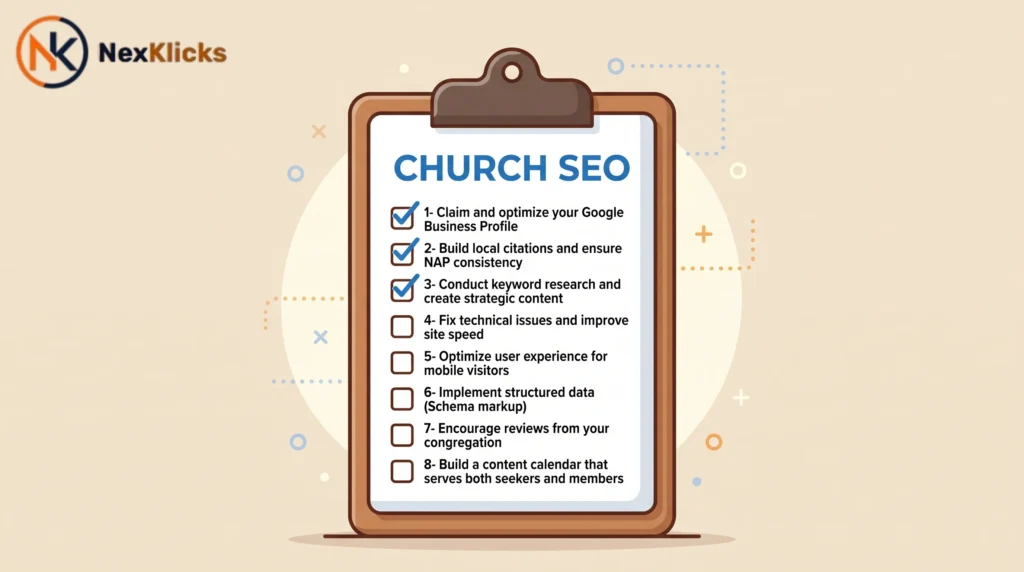
Improving your church SEO doesn’t require a massive budget or a team of tech experts. It requires intentionality and consistency. Here’s the high-level roadmap:
- Claim and optimize your Google Business Profile
- Build local citations and ensure NAP consistency
- Conduct keyword research and create strategic content
- Fix technical issues and improve site speed
- Optimize user experience for mobile visitors
- Implement structured data (Schema markup)
- Encourage reviews from your congregation
- Build a content calendar that serves both seekers and members
Start with What People Are Searching For
Most people searching for a church aren’t using theological terms; they’re searching for practical needs. Common search queries include:
- “Church service times in [City]”
- “Kids ministry near me”
- “Watch church sermons online”
- “Church prayer request form”
Your church SEO strategy must start by understanding the exact language your community uses. Use the same words they use, not church jargon that only insiders understand.
Real-world example: A church in Austin, Texas, was using the phrase “disciple-making” throughout its website. But the people in their neighborhood were searching for “community groups” and “Bible study near me.” When they updated their content to match the language their community actually used, their organic traffic tripled within four months.
The 80/20 Rule for Church SEO Success
Rather than trying to do everything at once, focus on the activities that deliver the greatest impact. According to industry research, claiming and completing your Google Business Profile, asking for reviews, and posting regular high-quality photos can deliver 80% of your local visibility results with only 20% of the effort.
According to Google’s own documentation, businesses with complete and accurate listings are 2.7 times more likely to be considered reputable by searchers. This means that simply taking the time to fill out every section of your Google Business Profile can significantly improve how people perceive your church before they even visit your website. The effort required is minimal compared to the impact it creates.
How to get your church on Google: Start with Google Business Profile
Why Your Google Business Profile Is Your Digital Front Door
Your Google Business Profile (formerly Google My Business) is often the first thing people see when searching for a church. Think of it as your church’s online noticeboard. Most newcomers now begin their search for worship or community events on a smartphone; if your listing is accurate, Google will point them straight to your door. A well-maintained profile also boosts your visibility in “churches near me” searches.
The profile appears in the local pack, those three business listings that show up on the map in search results, and in Google Maps. If you haven’t claimed yours, you’re essentially invisible to the majority of people searching for a church in your area.
How to Claim and Verify Your Church’s Profile
- Go to Google Business Profile and click “Manage Now”
- Search for your church name. If a profile exists, claim it; if not, create one
- Follow the steps to verify your church by phone, email, or mail
- Important: Claim the listing that already exists rather than creating a duplicate
To claim and optimize your Google Business Profile for church SEO, follow these steps:
- Go to google.com/business and search for your church.
- Claim the existing listing, or create one if it doesn’t exist.
- Verify ownership via phone, email, or postcard.
- Complete every section including hours, description, and categories.
- Add photos, posts, and respond to reviews weekly.
What to Fill Out for Maximum Visibility
Completing every section of your profile is critical. Google’s own data shows that businesses are 2.7× more likely to be trusted with an updated profile. Fill in:
- Business Name – Use your official church name without adding extra keywords
- Primary Category – Choose “Church” and add secondary categories like “Non-denominational church” or “Baptist church”
- NAP Details – Name, address, and phone number (must match your website exactly)
- Service Times – Keep these current, especially for holidays and special events
- Description – Write a warm, keyword-rich description (around 750 characters)
- Website URL – Link directly to your church’s homepage
- Photos – Add high-quality photos of your building, worship services, and events
The Power of Fresh Photos and Regular Posts
Google loves seeing fresh activity on your profile; it signals that your church is alive and active, not an abandoned building. You don’t need a professional photographer; just grab your phone after service and snap a few shots. According to research on 500 profiles across five cities, only about 20% had posted a photo in the last 30 days. By uploading a few pictures each month, you’re already doing better than 80% of other listings. This simple act of content marketing for your church community signals to Google that you’re active and engaged.
Using GBP Posts and Messaging
Google Business Profile allows you to share posts about upcoming events, sermon series, or community projects. You can also enable messaging to communicate directly with visitors in real time. These features help your Church SEO by demonstrating engagement and building trust with potential visitors.
Common mistake competitors make: Many churches claim their GBP but never post to it. They treat it as a static listing rather than an active communication channel. Google rewards active profiles. Posting weekly about sermon series, community events, or even a simple “Welcome to our church family” message signals that your church is vibrant and engaged.
The “What to Expect” Mindset
If your Google Business Profile is blank or outdated, it sends a subtle but powerful message: “We are not expecting guests.” A thoughtful, complete profile says, “We are ready for you.”
More local SEO tips to help your church appear on Google
Understanding Local Search: Relevance, Distance, and Prominence
When someone searches “church near me,” Google uses three main factors to decide which results to show:
- Relevance – How closely your listing matches the searcher’s intent
- Distance – How close your church is to the searcher’s location
- Prominence – How well-known and reputable your church appears online
Your local church SEO strategy must maximize all three factors.
Build and Maintain Local Citations
A local citation is any online mention of your church’s name, address, and phone number (NAP). Google uses these citations to verify your church’s legitimacy and consistency. Where to build citations:
- Online directories like Yelp, Yellow Pages, and Bing Places
- Faith-specific directories
- Local chamber of commerce websites
- Denominational and association websites
Pro tip: Many churches are missing from local directories that aren’t explicitly “faith-based.” Your city’s Chamber of Commerce, local business directories, and even real estate sites often have sections for local organizations. Getting listed there builds link building authority and helps with NAP consistency.
Ensure NAP Consistency Everywhere
This is one of the most common church SEO mistakes. If your Google Maps listing says something different from your church website- a different phone number, a different address, different service times, Google (and potential visitors) will get confused. Make sure your NAP details are always correct and consistent across every platform.
Get More and Better Google Reviews
Reviews are a big deal for every type of organization. Visitors use star ratings and reviews to decide which church to visit. Encourage your congregation to leave reviews on your Google Business Profile. Respond to reviews, especially negative ones, with grace and thoughtfulness. Research shows that nearly all consumers read business responses, so a thoughtful reply demonstrates that your church listens and cares.
According to a 2022 survey by BrightLocal, over 95% of consumers read responses to reviews, positive and negative. A thoughtful, gracious response to a critical review can actually build more trust than a five-star rating alone. This is especially true for churches, where community perception hinges on how people feel heard and valued.
Embed a Map on Your Contact Page
Adding an embedded Google Map on your contact page makes it easy for visitors to get directions. This simple step improves user experience and sends positive signals to Google about your local relevance.
Think Beyond Google – Bing Places and Other Directories
While Google dominates search, Bing Places and other directory listings can still drive traffic and build your church’s online presence. Claiming these listings also helps with NAP consistency across the web.
Better content for your website with church SEO
How to Perform Keyword Research for Your Church
Every church SEO strategy should start with keyword research. You need to know which words your potential visitors use to find you. Here’s a practical approach:
- Start with obvious keywords – “Church in [City]”, “[Denomination] church near me”, “Sunday service [City].”
- Use Google’s autocomplete – Type your keywords into Google and see what suggestions appear
- Check Google Business Profile Insights – See what terms people used to find your listing
- Use free tools – Google Keyword Planner, Ubersuggest, or AnswerThePublic
- Ask your congregation – What did they search for when finding your church?
What most church SEO guides miss: They tell you to do keyword research but don’t tell you how to interpret it. If you see a high volume for “funeral services near me” but your church doesn’t offer that, don’t target it. If you see a moderate volume for “children’s ministry events [City]” and that’s your strength, go all in. Relevance matters more than volume.
Create Cornerstone Content That Answers Real Questions
Great church SEO content serves both seekers and members. Your website should answer the questions people are actually asking:
- Service times and location on the homepage
- Sermons (live or on-demand) in a searchable sermon archive
- Ministry and activity pages with clear next steps
- Events calendar
- Prayer request forms
- What to expect when visiting for the first time
- Children and youth ministry information
Write Like a Human, Not a Robot
Google has gotten much smarter over the years. In the early days of search engine optimization, websites stuffed keywords into every sentence, making them unreadable. Today, Google can recognize intended keywords without them being present in every sentence. Focus on writing naturally in your church’s unique voice, and weave keywords in where they make sense, not where they feel forced.
Example of what NOT to do: “Welcome to First Baptist Church, a Baptist church in Springfield, Missouri, where we are a Baptist church serving the Springfield community with Baptist values and Baptist worship.” Instead, write naturally: “First Baptist Church has been serving the Springfield community for over 50 years. Whether you’re new to faith or looking for a church home, you’re welcome here.”
Optimize Your Page Titles and Meta Descriptions
Clear page titles and descriptions act as digital signposts. Your page title should describe your page in a few words and include your chosen keyword. Structure it like: [Page Title] | [Keyword]. For example: “St. John Lutheran Church | LCMS Church in Springfield, Missouri.”
Meta descriptions should be around 150 characters and describe what information is on the page. Include your targeted keyword naturally.
Use Headings to Structure Your Content
Each page on your site should follow a basic structure: Heading 1 (H1) as the most important header, followed by H2s and H3s. When your information is structured correctly, it signals to Google what’s most important. Don’t just reduce text size to create a subheader; make sure it’s tagged as an H2 or H3.
Add Alt Text to All Images
Alt text (alternative text) is a label for all the images on your site. These descriptions help Google understand what kind of information is on the page and assist vision-impaired users using screen readers. Instead of leaving it as “IMG-234.jpg,” describe the image with a few words and include keywords when relevant.
Optimization insight: Your alt text for the main hero image of your church should include your primary keyword naturally. For example: “Exterior view of First United Methodist Church, showcasing our welcoming entrance for Sunday services.”
Build Pages That Guide People
Your church website should be structured like a funnel. Start with the essential location and about us pages, then guide visitors to deeper content. Essential pages to consider:
- What to Expect
- About Us
- Sermon Archive
- Events/Calendar
- Get Involved
- Beliefs/Mission
- History
- Give/Donations
Internal Linking Helps Uncover Content
Internal linking is one of the most important aspects of church SEO. By linking to related pages from other places on your site, you signal to Google which pages are most important and help visitors discover content they might otherwise miss. Don’t let important pages become invisible; link to them.
Improve the performance of your site.
Why Site Speed Matters for Church SEO
Website loading speed is an essential factor in today’s church SEO. People love fast websites, and the same goes for Google. If you want to improve your rankings and increase the chance for Google to crawl your site, you must improve the user experience on your site. Search engines favor pages that are fast, secure, and accessible.
The average bounce rate for church websites is around 58%. If your site is slow, that number will climb even higher. People will leave before they ever see your service times or watch a sermon clip. And when they leave, Google interprets that as a sign that your content isn’t valuable.
Run a Google PageSpeed Insights Test
Start by running your church website through Google PageSpeed Insights to see where your pain points are. This free tool will show you exactly what’s slowing down your site and provide specific recommendations for improvement.
Google’s PageSpeed Insights analyzes both mobile and desktop performance. According to Google’s own performance guidelines, a website that loads within 2.5 seconds on mobile is considered “good.” If your church website takes longer, you’re likely losing visitors before they even see your content. This is one of the most critical metrics in church SEO that many administrators overlook.
The Mobile-First Priority
Most of the time, when a site is lightning-fast on mobile, it’s lightning-fast on desktop. The reverse is not necessarily true. Many visitors find you on their phones, so a responsive design is essential. Work from your mobile site, make it easy to use and easy to load. Use our mobile SEO checklist to make sure nothing gets missed when optimizing for smartphone visitors.
Easy Wins for Better Performance
Several quick fixes can dramatically improve your church website’s performance:
- Upgrade your hosting – One of the easiest, most rewarding speed improvements you can make
- Invest in a CDN – A content delivery network uses servers around the world to deliver content faster
- Optimize images – Almost every site has unoptimized images; fix this by scaling images down and running them through optimization tools.
- Use next-gen image formats – WebP and other formats produce much smaller file sizes without losing quality.
- Enable caching – Save your site’s static files on the server so they can be served without downloading duplicate files every time.
- Minify code – Strip unnecessary characters from JavaScript and CSS files
- Use fewer plugins – Every plugin adds overhead; be strict about what you add
Avoid Auto-Playing Background Videos
Many church websites use auto-playing background videos to impress visitors. While this looks cool, it significantly hurts page performance. The video takes up a lot of space, and the browser has to work hard to load it. Combined with unoptimized images, your site can weigh dozens of megabytes, which is horrendous for smartphone users. If you run your site through PageSpeed Insights and a video is playing on your homepage, you will likely have a bad score.
Make It Easy for Google to Crawl Your Site
For Google to rank your site, it first has to discover, crawl, and index it. While WordPress and SEO plugins do a lot of the work helping Google crawl your site, there’s more to do. Focus on making your site crawlable by speeding it up, upgrading your hosting, and relying less on external scripts. If you’re unsure where to start, a full technical SEO audit can surface the exact issues holding your site back.
The 2026 Church Website Benchmark
According to 2026 industry benchmarks, the average bounce rate for church websites is 58.4%. While this sounds alarming, it’s actually expected for this sector. However, improving site speed and user experience can help reduce bounce rates and keep visitors engaged longer.
A better user experience for your church
User Experience Is More Than Design
The experience you offer people in your church is essential; the same goes for your website. User experience (UX) is the real feeling and experience users get when they visit your website. It’s influenced by performance, ease of navigation, design, and mobile-friendly design. Your site should offer a clean, easy-to-understand design without too much flashy stuff.
Make Navigation Simple and Intuitive
Aim for no more than seven pages in your site navigation that appears along the top of your website. Essential navigation items for a church website:
- Home
- About Us / What We Believe
- Service Times / Plan Your Visit
- Ministries / Programs
- Events
- Sermons / Media
- Give / Donate
- Contact
Mobile-Friendliness Is Non-Negotiable
Most church website visitors are on their phones. If your site isn’t mobile-friendly, you’re turning away potential visitors before they even get to know your church. Use a responsive church website theme that automatically adjusts to different screen sizes.
Design for Conversion, Not Just Aesthetics
Your church website should be designed to convert visitors into attenders. That means:
- Service times and location are visible immediately on the homepage
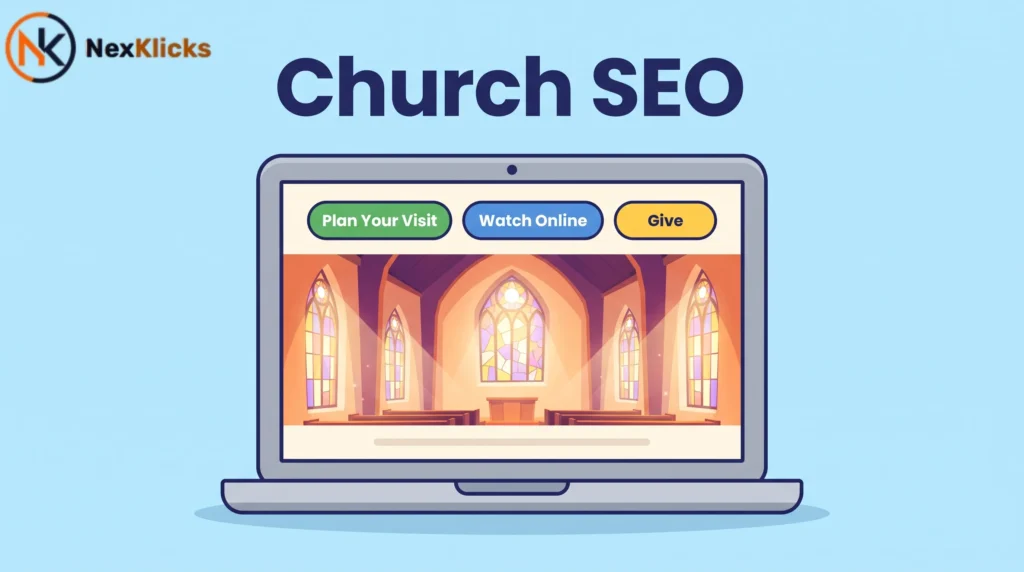
- Clear calls to action (“Plan Your Visit,” “Watch Online,” “Get Involved”)
- Simple forms and contact methods
- No pop-ups or sign-up forms that block the user’s entrance
Use High-Quality Photos of Real People
Don’t just show your building, show your congregation. People look for people and want to see what kind of community they can expect. Take photos at community events and post them to your site regularly. Manage your photos on your Google Business Profile as well, since that’s probably the first touch point for many people.
Avoid Image Carousels
Image sliders or carousels are a common feature on church websites, but they are problematic. Visitors are annoyed by them, they are an accessibility nightmare, and they increase your website’s loading times. Get rid of the carousel on your site and invest in good static content whenever you can.
Accessibility Matters for Everyone
Make sure your website is accessible to all visitors, including those with disabilities. Best practices include:
- Use clear, simple language
- Keep menus simple and consistent
- Ensure links are descriptive (e.g., “Read about our Sunday Services” instead of “Click here”)
- Include alt text on all images
- Use clear headings
Investing in Yoast SEO Premium and Local SEO is a great idea
What Yoast SEO Does for Your Church Website
Yoast SEO is one of the oldest and most popular SEO plugins for WordPress, running on over 15 million sites worldwide. It automatically optimizes WordPress for you and makes church SEO much easier to grasp. It comes with a readability analysis and SEO analysis that help you improve your content for search engines and visitors alike.
How Yoast Local SEO Helps Churches Rank Locally
The Yoast Local SEO add-on for WordPress comes with helpful features specifically designed for organizations like churches. It lets you define your business type as a church or place of worship, helping Google show you in relevant local searches.
Key features include:
- Optimize your website for a local audience
- Easily add Google Maps and a route planner
- Convert your address and hours into Schema markup automatically
- Generate a geo sitemap for better local visibility
The Power of Church Schema Markup (PlaceOfWorship)
Structured data is machine-readable code that search engines understand. Yoast Local SEO supports all CivicStructure Schema types, including PlaceOfWorship. This tells Google exactly what your church is, not just a generic business, but a place of worship. The details you offer in Schema should align with your Google Business Profile.
What Schema Markup Does for Your Church SEO
With structured data, you use Schema.org code to describe the properties of different parts of your website in a way that machines can read. Google uses these details to highlight them on the search results pages. For your church, this includes:
- Sermon hours
- NAP details (name, address, phone)
- Organization details
- Event information
By adding Event Schema for each service and sermon, you can appear in Google’s event listings, a powerful way to attract visitors that most churches completely ignore. This is the advanced structured data approach that separates top-ranking church websites from the rest.
Free Training with Yoast SEO Premium
Every purchase of Yoast SEO Premium includes full access to Yoast SEO Academy, with step-by-step courses to improve your local search visibility. This can be invaluable for church administrators who are new to SEO.
Other SEO Tools to Consider
While Yoast SEO is a great solution for WordPress churches, other options include:
- Rank Math – Another popular WordPress SEO plugin
- All-in-One SEO – A comprehensive alternative
- TheChurchCo Website Builder – Built specifically for churches with SEO in mind
Yoast SEO vs Rank Math for Church Websites: Yoast SEO is better suited for churches that want a user-friendly, guided experience with excellent local SEO support through its Local SEO add-on. It’s particularly strong for structured data and readability analysis. Rank Math works better when you want more granular control over multiple keywords and advanced technical settings. The key difference is ease of use (Yoast) versus control (Rank Math).
Quick Comparison:
| Option | Best For | Key Benefit | Limitation |
|---|---|---|---|
| Yoast SEO | WordPress churches wanting simplicity | Readability & local Schema support | Local SEO is a paid add-on |
| Rank Math | Tech-savvy church admins | Advanced control & multiple keywords | Steeper learning curve |
| All-in-One SEO | Multi-site churches | Comprehensive feature set | Can be overwhelming |
| TheChurchCo | Churches wanting an all-in-one | Built-in SEO & design | Less flexibility |
Growing your audience/getting people to church with church marketing
On-Page vs. Off-Page SEO for Churches
SEO happens on two fronts:
- On-page SEO – Everything you do on your site, from improving your site structure to writing better content
- Off-page SEO – Everything you do to put your church in the spotlight, like getting press coverage or building links
Link Building for Churches
Links are essential for SEO. Ideally, you want to write content so well that people will share and link to it from their sites. Resources are particularly linkable pieces of content. You can also:
- Reach out to relevant sources and ask them to link to your pages
- Offer to write guest posts with links back to your site
- Find directories and denominational websites that link to individual churches
What most church SEO guides miss: They treat link building as a corporate SEO strategy and don’t adapt it for churches. But your denominational headquarters, mission organizations, and even local schools might be willing to link to your community outreach pages. Start with organizations you already have relationships with—they’re much more likely to link to you than a random SEO outreach.
Use Google Ads Grant for Non-Profits
Google gives eligible non-profit organizations $10,000 a month to spend on ads through the Google Ads Grant. This provides churches a chance to compete with for-profit organizations in getting noticed online. You can use it to promote events, courses, or your church in general. Requirements include:
- Recognition by the IRS as a tax-exempt 501(c)(3) organization
- Validation by TechSoup
Social Media for Churches
Social media is another way for churches to build their audience and profile. Not every channel is applicable—Twitter might be less of a priority than Facebook. Visual-oriented platforms like Instagram offer exciting possibilities. Use social media to connect with your audience—be open and respond. Keep your profiles up-to-date and produce posts that resonate with your churchgoers.
Social media insight: While many churches use social media for announcements, they miss the opportunity to drive people back to their website. Every social post should have a link to a relevant page—a blog post, a service time page, or a sermon archive. This builds your authority and helps with on-page SEO.
Start a Church Newsletter
The newsletter is one of the most effective ways to communicate with your audience. It’s easy to set up, build, and send. Options include:
- Weekly or monthly updates
- Stories about the church and community
- Upcoming events and fundraisers
- Spiritual encouragement and resources
Record and Share Video Content
Today’s internet is very video-centric. Many church websites feature promotional videos showing their church, congregation, and message. Consider:
- Recording and archiving sermons in a sermon archive section
- Creating a YouTube channel
- Using video-oriented social media like TikTok and Instagram for a younger audience
Get the Press to Talk About Your Church
Getting good PR for your church is also a form of off-page SEO. Invite reporters to talk about your events, community services, or whatever you want. Then, ask them to include links to your site from the publisher’s website. Good publicity can mean a great deal even if you don’t get a link.
Treat Google Like Your New Front Yard
As one pastor put it, “We used to grow by knocking on doors. That worked for years. Then it stopped working.” After the pandemic, fewer people answered doors. But something else started happening—families were searching “church near me” on Google instead. Churches that treated Google like their new front yard saw real results. One church updated its Google Business Profile, asked for reviews, posted photos weekly, and welcomed seventy new people within a year—not from mailers or flyers, but from search.
SEO for churches helps you find people and helps people find you
The Ultimate Goal of Church SEO
Getting your church listed on Google is only part of the battle. Building a great Google Business Profile allows you to do well and is a must-have for any church. Support this with great local church SEO on your site—publishing content about your location, community, and events, and adding relevant Schema structured data will surely help.
SEO Should Be Part of Your Church Marketing Strategy
SEO helps you get noticed in the search results and the world beyond that. Investing in church SEO will pay dividends to those who have patience — but only if you avoid the common pitfalls that quietly kill local rankings. It’s not a quick fix—it’s a long-term strategy that builds over time.
Start Small, But Start Today
You don’t need to do everything at once. Here’s where to begin:
- This week – Claim and complete your Google Business Profile
- This month – Ask for reviews and add fresh photos
- Next month – Audit your website for basic SEO issues
- Ongoing – Create regular content and engage with your community online
FAQ Section (Voice Search / AEO Q&A)
Q: What’s the most important thing for church SEO?
A: A complete, accurate, and active Google Business Profile is the highest-impact factor for local church search visibility.
Q: How do I get my church to appear on Google Maps?
A: Claim and verify your Google Business Profile, ensure NAP consistency, and encourage positive reviews from your congregation.
Q: Should I use Yoast SEO or Rank Math for my church website?
A: Yoast SEO is generally better for beginners and churches using WordPress, especially with its Local SEO add-on for Schema markup.
Q: Why does my church website have a high bounce rate?
A: Common causes include slow loading speed, poor mobile experience, unclear navigation, or content that doesn’t answer visitor questions quickly.
Q: How long does it take to see results from church SEO?
A: You may see initial improvements within 1-3 months, but significant results typically take 6-12 months of consistent effort.
The Bottom Line
Hundreds of thousands of people in the United States search “churches near me” every month. When individuals and families in your city search Google for a church, will they find yours? Church SEO ensures that when someone is looking for a spiritual community, your church is there to welcome them—online and in person. By implementing these strategies, you’re not just improving your search rankings; you’re opening doors for people to find faith, community, and hope.
The biggest mistake to avoid: Waiting until you have a “perfect” website or “perfect” SEO strategy. Perfection is the enemy of progress. Start with your Google Business Profile today, even if everything else isn’t ready. That single step will immediately improve your visibility.
Your next action: Open Google Business Profile right now. Search for your church. If it exists, claim it. If it doesn’t, create it. Fill out as much as you can in the next 30 minutes. That’s the start of your church SEO journey.
Summary Checklist: Quick Church SEO Action Items
- [ ] Claim and verify your Google Business Profile
- [ ] Complete every section of your GBP (hours, description, photos, posts)
- [ ] Ensure NAP consistency across your website, GBP, and all directories
- [ ] Ask for Google reviews from your congregation
- [ ] Add fresh photos to your GBP every week
- [ ] Conduct keyword research to understand what your community is searching for
- [ ] Optimize page titles, meta descriptions, and headings with keywords
- [ ] Add alt text to all images
- [ ] Improve site speed (compress images, enable caching, upgrade hosting)
- [ ] Make your website mobile-friendly
- [ ] Implement Schema markup (use Yoast Local SEO for WordPress churches)
- [ ] Create a content calendar with regular blog posts and updates
- [ ] Build local citations in directories
- [ ] Encourage social media engagement
- [ ] Apply for Google Ads Grant if eligible
Church SEO is the most direct path to connecting your community with people actively searching for a place to worship, and this guide covers every step from Google Business Profile to Schema markup. If your church isn’t showing up on Google, this church SEO strategy will change that.
Last Updated: June 2026


Leave a Reply